Tag Archives: music

GTA3 Modding and Retrospective

I’ve mostly been playing Grand Theft Auto 3 lately. Honestly, I was mainly just hankering to find secret packages. Hunting those packages down and then having easy access to weapons for completing the missions is the best part of those 3D GTA games. As far as I can remember, they totally neutered the secret package hunting in GTA IV. You can still find them, they just hardly give you any reward.

GTA V seemed to have many different types of collectables, but I’m not sure what the rewards were like as I didn’t play it long enough to find out (only about 50 hours). I may have complained about this before, but the amount of story in V is just so overwhelming that I got bored with it quite frankly. That’s why I love the GTA3 era games (including Vice City and San Andreas). They’re proper games, and the story is only an amount necessary to introduce the gameplay.

But boy is GTA3 janky.

There’s quite a bit of graphics jank, like aggressive pop-in and a frame limit of only 30fps. There’s also some movement issues like running down stairs launching you forward,  jumping going in the direction you last moved, and that stupid little derp animation that plays if you try to jump when too close to something. And the Dodo… what the hell is that about. It’s so blatantly uncontrollable that a message comes up telling you how long you managed to fly for whenever you land.

Although, to be fair, they did a great job with the control setup screen. You can bind multiple mouse and keyboard buttons to a control, foot and vehicle controls don’t conflict with each other, and it even recognizes the forward and back mouse buttons. Plus the MP3 support is still pretty awesome—the killer feature for the PC version. And the fact that you can put Windows shortcuts into the mp3 directory to load copies of MP3 files that exist elsewhere (in your music library most likely) is still very much appreciated. Cruising around the world while listening to your favorite 90s and early 2000s music is just… chef’s kiss. I only wish it could shuffle the playback.

However, the built-in radio stations in GTA3 are pretty shite, especially compared to the amazing 80s music radio stations in Vice City. The only memorable song in GTA3 is Fade Away from Head Radio. So, please humor me while I make some music recommendations for your GTA3 mp3 folder.

  • Rage Against the Machine—Wake Up and Bulls on Parade are must-haves.
  • Nine Inch Nails—Burn, The Perfect Drug, and Driver Down (from the Lost Highway soundtrack) are all super intense for when you’re weaving through traffic at high speeds.
  • Rob Dougan—Clubbed to Death (Kurayamino Mix). Such a badass song. Drive around and feel like a badass.
  • Garbage—Queer has a nice chill, grunge sound for driving to.
  • Deftones—My Own Summer (Shove It). Yes, yet another one from the Matrix soundtrack.
  • Cake—Rock n Roll Lifestyle. I dunno, it’s just a good driving song.
  • Marilyn Manson—The Fight Song, Spade, Tourniquet. Just good killing music.
  • Smashing Pumpkins—Bullet With Butterfly Wings. Well… it’s good.
  • White Zombie—More Human Than Human. I can’t understand most of the lyrics, but it has an awesome guitar riff that would get anyone pumped up.
  • Prodigy—Smack My Bitch Up because you have to have some Prodigy in there.

Mods

There are quite a lot of mods for GTA3, though, at least. After a thorough perusal of the PCGaming Wiki page for the game, the required mods seem to be SilentPatch, an ASI loader, and Framerate Vigilante. SilentPatch is the definitive community patch for the 1.0 version. Note that no mods appear to support the 1.1 version that comes with Steam downloads, so don’t waste your time with it, and instead just get a 1.0 NoCD cracked exe from somewhere

Framerate Vigilante fixes a lot of timing issues that are created by running at higher framerates than the default 30fps. It’s a must-have if you don’t want eye strain and a headache. And the ASI loader is required for Framerate Vigilante. I also found the full-screen map mod extremely useful (and it needs an ASI loader as well).

Subdued Gangs

Naturally, my own GTA3 mod, “Subdued Gangs”, is also a good addition. However, I’ve been wishing that I came up with a better method to solve the gang attack annoyance. If you’ve never played GTA3 before, the gist of the problem is that there are several gangs in the game world that will inevitably get pissed at you at some point as you progress through the missions. And when they are pissed, being in their territory can be quite deadly. They pop in from everywhere and instantly target you if you’re anywhere in front of them with pistols, uzis, and even shotguns.

My mod mitigates this gang threat by just giving the gang members melee weapons once they start hating the player. But you can still be swarmed quite easily if you’re on foot or stopped in your vehicle. Because they only have melee weapons, their only option is to try to pull you out of your vehicle, which can cause some missions to fail (still better than getting your vehicle all shot up, I guess). I would have liked to find a way to lower their threat range and reaction time instead, so you have to be like 10 feet away for a couple seconds before the gang members aggro. (That’s more like how gangs work in Vice City if I’m remembering correctly.)

I looked all through the list of opcodes for mission scripts to see if there was any other way to affect the gang threat system, but alas, found nothing (other than turning the gang threat off completely). I started asking Claude about the project, and it confirmed what I was dreading: probably the only way to mod the gang threat behavior was to patch the executable, which naturally seemed overwhelming. But then Claude made me aware of a critical resource, a project that fully “decompiled” the GTA3 executable to readable C++. With that as a reference, trying to find the right bytes to patch actually seemed within reach.

I found a few numeric values in the decompiled source code that could both feasibly change how the threat detection for pedestrians (including gangs) occurs and also be easily changed in the assembly. The first value controlled the maximum range that a pedestrian can see another pedestrian threat—the default was 30 meters. Then there was separate code for detecting vehicular threats, and that had a default distance of 20 meters. But the trickiest one was the code for limiting the angle that a pedestrian can see a threat; the default here was > 0.0, which basically meant “anything in front of the pedestrian”. Yep, a full 180° vision cone—that seems fair and normal, eh? 😝

Then came the hard part: trying to figure out where those values were in the executable. But I hadn’t done any disassembly in a while (not since my No Equipment Loss on Death mod for Diablo 2) and was never all that skilled at it to begin with. I thought I’d start over fresh and give Ghidra a try since I’d seen a few mentions about it lately. It’s a disassembler/decompiler made by the NSA and released as free open-source. However, it’s written in Java to be cross-platform, so it has that Java-clunkiness that those apps always seem to have on Windows.
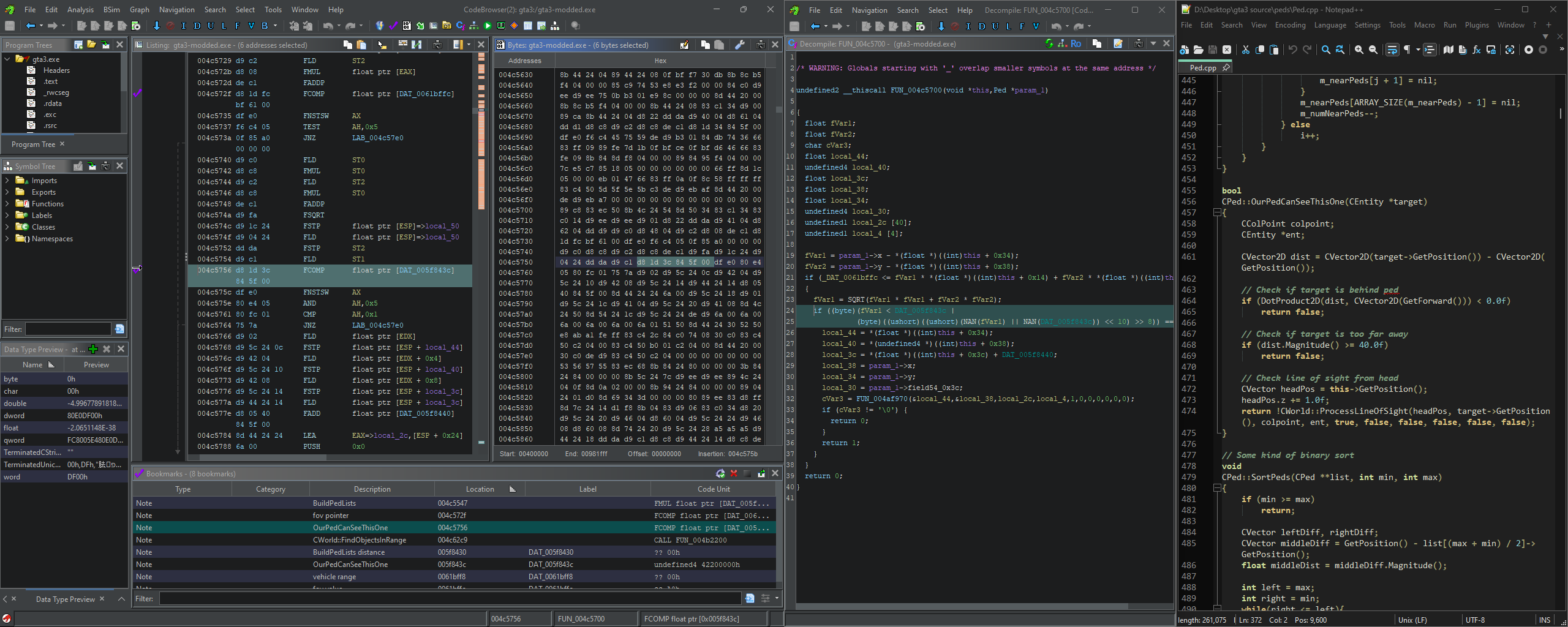
The Ghidra UI is overwhelming to look at.

The Ghidra UI is overwhelming to look at.

There are many matches for each of these target values in the assembly: 91 matches for 30.0, 69 for 20.0 (nice), and well over a thousand for 0.0. I had Claude make a few Python scripts to analyze each of the matches and narrow down the list of address candidates. It seemed to be mostly looking for other values in close proximity to our target ones. But this ended up being fairly tricky since some values are used directly in operations and others are given as an address to where the value is stored. It got easier as we went, though.

For a proof of concept, I modified the executable directly. However, two of the target values had multiple references in the assembly, so to avoid causing conflicts, I used a little bit of unused padding at the end of the .data section and pointed the operations to the new addresses instead. In the end, I only needed to change 20 bytes (3 floats and two 32-bit pointers). The distance limits worked just fine in this patched exe. I tweaked the new values until I settled on 8.0 and 10.0 as being balanced maximum distances (for peds and vehicles respectively).

But changing the FOV limit had some weird behavior. The gang member FOVs seemed to be tighter only some of the time. After a few hours of testing, Claude pointed out that the FOV check in the source didn’t normalize the direction vector to a value between 0 and 1. So, the new limits only worked if you were really close to the gang members. Normalizing the vector would have been pretty tricky in assembly, so we decided it was time to move on to making an ASI mod.

ASI mods are just DLLs that are loaded into the game’s memory space and then executed to inject code into the assembly. I couldn’t find anywhere that said what the ASI acronym actually meant, but apparently it comes from an early modding technique by which the Miles Sound System (a sound library used by GTA3 and VC) automatically loaded and executed any .asi files in the game directory. Nifty.

But with an ASI mod, we could hook into existing function calls to run our own code beforehand and then bypass the original function if desired. So, in this case, it meant we could intercept the function call that checks the FOV, normalize the direction vector between the ped’s forward vector and the target vector, then do a proper angle comparison. If the angle was less than our custom threshold, then we just bypass the original function altogether—the ped sees nothing.

Once I had the Visual Studio project setup, Claude did basically all the coding, and it compiled and worked perfectly. I had Claude also add some code to load custom settings from an INI config, so it would be easy to tweak the thresholds without recompiling. I decided on a 70° FOV after some further gameplay testing. That felt more human, and gave the player enough room to possibly maneuver around the gang members if they spotted them first.

I made a video to demonstrate the change by comparing the vanilla and modded gameplay when driving around. Pay attention to the number of times the player’s car gets shot.

At the same time as I was making the ASI version of the mod, I was also fiddling with the old SCM version. Although the old Barton Waterduck Mission Builder (what a stupid name 😄) still ran and compiled fine, it hasn’t been updated since I originally created the mod back in 2007. So, I thought I’d investigate the new standard mission script compiler, Sanny Builder. The improvements over the Barton Waterduck one were underwhelming, frankly; however, it did have better jump and variable labels, so the scripts were slightly easier to read and navigate.

I figured since I was a dumbass and didn’t mark any of my changes in the original mod, I’d try to remake the mod in the new Sanny Builder format (with proper documentation this time). The decompiled mission script is like 100k lines long, so having every change clearly marked is important if you ever need to fix something again later. I also took this opportunity to change the “subdued” reset trigger from the “Turismo” mission to the “Mafia Massacre” RC mission and added a new reset to defaults trigger to the “Diablo Destruction” RC mission. Although Turismo could be repeated indefinitely, it isn’t available immediately when starting the game and doesn’t have a counterpart to revert gang weapons back to default, so I though the Portland RC missions were a better choice. It might be even better to hide some proximity markers somewhere in Portland to trigger the resets, but I haven’t taken the time to figure that out yet—maybe in the future.

While I was playing the game, I also came across a couple minor mission annoyances that I thought I’d fix in the mission script as well just because I could. The first fix was to the mission “Deal Steal” where you have to find a Yardie Lobo to complete the mission. I drove around for a solid half hour trying to find a Lobo, but to no avail. After searching Google a bit, I discovered the reason I couldn’t track one down was that there’s no static spawn for the Lobo anywhere and it looks almost exactly like an Idaho—it just has a different interior. Given that, I decided I should just spawn a Lobo somewhere easy to find during the mission. So, I put one in the parking lot next to the Newport parking garage. Easy peasy.

And my other fix was in that same area. I was at 99% complete and just needed to do the final story mission and the last off-road mission, “Multistorey Mayhem”. I hadn’t come across the mission naturally, and the GTA3 map just said it was in that same Newport parking garage. But none of the cars in the parking garage started a mission. I read some forum posts online but they weren’t making sense—you have to bring a Stallion into the garage to start the mission?? Apparently not, so I read a walkthrough instead. You actually have to enter a Stallion just outside of the parking garage! It’s not at all obvious that’s what’s required; there’s no other missions in the whole game that trigger like that. So, I just simply changed the condition so that any Stallion inside the parking garage triggers the mission. They frequently spawn in there so it’s easy to find naturally.

I realize that adding in two unrelated features into the SCM file aren’t really good modding etiquette. I should really be using the CLEO scripting system so that the changes are modular. But, since I’ve finished the game now, I’m ready to move on to some other projects. So, maybe in some future update, I’ll take the time to figure out CLEO and do the mod properly.

But for now, I’ve uploaded both versions of the mod to this site and also Nexus Mods. I’m trying to get better about putting all of my mods on there for increased visibility. I just worry that I’ll go through all that trouble, and then the site will just get bought out, enshittified, and then close down.

Website Upgrade

As for the other projects, I’ve also been working on giving this website a major overhaul. As you may have noticed, I’ve been using LLMs a lot to help me on projects now. It’s been really helping me not get overwhelmed by coding due to my illness; although, I’m still running at nowhere near 100%. So, this upgrade may take many months, but I feel like it’s necessary. My main goals are to upgrade to the latest WordPress version, design a new responsive theme with light and dark support, do a content refresh, and switch hosts.

So far I’m only about 15% done, but here’s a preview of the work so far. I’m trying to lean into the magazine layout more on the homepage, but much of the rest of the site will be pretty standard.

SnakeByte Studios 2026 website WIP

SnakeByte Studios 2026 website WIP

Ugh… I really gotta stop writing such long posts. 😝

Posted in Gaming, Modding, Website | Tagged , , | Leave a comment

More Mods and Modding

Epic Games Mod Music

In a continuing effort to further perfect my mod music library, I’ve been redoing my conversions of the music from several of my favorite Epic MegaGames soundtracks, specifically Unreal, Unreal Tournament, and Jazz Jackrabbit 2.

My previous efforts were all plagued with improper volume levels as I naively thought that music should just be normalized and that’s it, job done. Since then, I’ve come to understand about loudness levels and limiters that can increase the volume without clipping. To be fair, normalizing is still the most appropriate way to level audio as it doesn’t alter the dynamic range. The only problem is that normalizing alone is impractical as all other music these days is boosted to a loudness of around -10 LUFS, and you don’t want to constantly adjust your speaker volume to account for the variance in volume. It seems mod music is particularly susceptible to being problematic in this regard as well since many tracks were made to just slam up against 0dB and let the player’s Auto-Gain Control sort it out.

Unfortunately, the automated mod conversion process that I mentioned last post has one major flaw in that it just kinda makes all the tracks the same volume. -10 LUFS loudness is fine for most lively music, but for softer tracks (like that of Unreal’s ambient music), you might want the volume up to 10 LUFS quieter. You really have to listen to each track and decide on an appropriate loudness. So, that’s what I did. You can download all three game soundtracks and listen to some samples from the Epic Games Tracker Music project page.

The majority of the three soundtracks were converted in the automated way using FFmpeg’s OpenMPT library and built-in audio filters. Some of the tracks were ones that I selectively recorded/remastered and then released here back in 2008, but just with the fixed volume levels. Luckily, I still had all the wave files available to use. And a few tracks I actually remastered recently in the same way that I did for the Deus Ex Soundtrack remaster. So, it’s kind of a hodge-podge of different conversion methods, unfortunately, but I wanted to just make it available for people as-is and hopefully add more remastered tracks later. It’s still very listenable, though, as long as you don’t mind some clicking and pops from bad samples and sudden track ends.

There’s also a bit of an issue with much of the Unreal music included as it only contains the ambient sections of each track. It wasn’t until after I had everything ready for upload that I finally figured out how to get FFmpeg to convert the other sections of the tracks. These sections are often referred to as “subsongs” (at least in contemporary mod players), but the mod formats don’t have a specific mechanism in place to define these sections. Instead, they merely use the Bxx effect command to jump to different patterns in the song. These can be used to loop different sections of the song and be programmatically switched between, e.g. in a video game. The OpenMPT library actually has a process included that can identify these sections, and it’s also available as an option in FFmpeg by utilizing the option -subsong. However, I couldn’t find a single example of how this option is used anywhere online and only later (through shear persistence… or maybe just dumb luck, I forget) discovered that the subsong option has to go before the input file is given (-i). Maybe that makes sense because it’s technically modifying what the input is…? I dunno, it seems pretty stupid to me, especially undocumented.

Regardless, I need to reconvert a lot of the Unreal soundtrack as such. I would have just gone ahead and done it, but many of the sections are rather long and perhaps need to be a separate track. Some people always complain about how I did the Deus Ex soundtrack remaster with every section included in one track, and I still think that was the right choice for Deus Ex, but it’s making me hesitant to repeat that arrangement for Unreal. It just needs further consideration.

And honestly, Unreal is probably the weaker of the three soundtracks. There’s definitely some great tracks in there, but UT and Jazz 2 just have some seriously bangin’ tracks. Alex Brandon really did some amazing mod compositions back then. I actually also realized that the versions of the Jazz 2 soundtrack that I had (from Lori Central) were slightly different from the game versions, so I converted all the Jazz 2 music a second time to see which versions I should include in my compilation. I ended up writing a whole PHP script to extract the mod format files from the j2b files that come with the game, and then found out that OpenMPT will just open the j2b files as is. 😄

Borderlands Modding

I’ve been playing a lot of Borderlands 2 recently. There’s just something about that game that makes it probably the best “looter shooter” AKA first-person action RPG—it’s probably the very satisfying visuals combined with the endlessly-humorous dialogue. Seeing damage numbers fly out of enemies as you shoot, punctuated by the occasional “CRITICAL” hit really prods those dopamine receptors. And all of the characters being just such over-the-top caricatures with the most irreverent dialogue—Scooter’s incestuousness, Moxxi’s innuendos, Brick’s insatiable bloodlust, all the bandits’ ridiculous one-liners, etc.—it always lifts my spirits.

But even for all its good qualities, the game isn’t without its faults. And I’m apparently perpetually drawn to attempting to fix such faults in the form of game modding. However, I specifically remember trying to find some BL2 modding tools several years back and coming up empty-handed. But after a recent playthrough, I looked again and was delighted to see that a modding community has sprung up around the game after a couple of different modding methods were devised.

The first modding method is quite straightforward and intrinsic to the Unreal engine that the game is built on, and thus I am surprised there weren’t more mods made for the game sooner. It relies on the console being enabled and then using two console commands to override game settings. The first being the set command, which changes any variable to some given value. And the second being the exec command, which reads a text file in and executes whatever commands it finds. These allow one to change as many game settings as necessary and then package the changes all in one convenient text file. There’s even a tool made to help format and merge multiple mods into one file called OpenBLCMM.

The other method I only started looking into recently, but it is very powerful if you have enough motivation to figure it all out. It’s of the variety of DLL-injected code wrappers that can load any number of external scripts and is called succinctly-enough PythonSDK. Unfortunately for me, I’ve been neglecting to learn Python for years (mainly because of my illness to be fair). Mostly I just find Python to only be popular because of this one gimmick it has where text indentation and line breaks also control code blocks. It is nice that all Python code looks really clean and uniform (boy, do I hate people that put beginning curlies as the only thing on a whole line in other languages), but it really doesn’t seem so groundbreaking that everyone needs to switch to it as the new hotness. But that’s probably just my uninformed and biased position as a newcomer. 😛 I also thought Half-Life 2 was overrated at first. 🤐

Anyways, I’ve already fixed a number of small nagging issues with BL2 and have a basic framework for a larger change mostly figured out. One thing that’s always annoyed me about Borderlands games is their inclusion of an accuracy attribute on all weapons. So, you can have your crosshair directly over an enemy and the shot just plain misses or hits but isn’t a critical hit. It removes a lot of the skill from the game and replaces it with luck, which feels less satisfying.

I’ve changed the game to always be completely accurate when aiming down the sights, and to also have slightly better accuracy control when hip-firing. It’s totally revitalized the game for me, making me rely much less on sniper rifles (which were always close to 100% accurate when aiming down the sights) and experimenting more with the other types of weapons. I’ve also been tweaking some of the recoil characteristics of the guns to make them more controllable, especially for the SMGs, which I could never quite put my finger on as to why they felt so bad to spray, but have since realized that it’s because they recoil mostly only horizontally—try keeping the reticle on-target when it constantly bounces left and right randomly.

I’d like to release my BL2 mods, of course, but the weapon handling mod will need a lot more testing and tweaking until it’s to a point where I’m satisfied with the feel and game balance. I guess it does make the game easier, provided your aim and recoil control is good, so that’s something I have to look into as well. Check back later to see if it gets completed and released. 😛

Deus Ex Soundtrack Videos

One thing I like to do these days when I’m feeling only-slightly crappy is edit videos. It requires only a modest level of thought and creativity while being mostly an engaging yet repetitive task—make a small timeline tweak, rewatch to see how it looks, repeat. My CPU is over 10 years old now, so it chugs a lot when editing HD video, but it’s bearable I suppose.

One project to come out of this video editing recently has been a series of music videos to accompany my remastered versions of the Deus Ex Soundtrack. I really wanted to expose a wider potential audience to the remasters, and I thought YouTube was a good platform for that, being so open and also having a huge library of music already. I thought about just putting a static image, the cover image, for the video portion (as so many people do for music videos on YouTube), but that seemed too lame and uninteresting for someone that was watching on anything with a screen. But I also didn’t want to have a lot of fast-moving gameplay captures since that would massively increase the file-size (for variable bit-rate video compression at least, which is what YouTube uses) for users only listening. So I decided on a compromise of in-game capture with a stationary camera to keep the motion down.

I ended up creating a little library of shortcuts and console commands to help simplify the process. Luckily, Deus Ex has all its scripts easily editable from inside UnrealEd (the original one still runs if you have all the ActiveX library files installed) unlike Borderlands 2. Here are the edits I made to the “DeusExPlayer” class.

var bool bToggleHud;
var bool bToggleGhost;
var bool bToggleInvisible;

// ----------------------------------------------------------------------
// ToggleHud - Snake Modification
// ----------------------------------------------------------------------

exec function ToggleHud()
{
    if (!bToggleHud)
        ShowHud(false);
    else
        ShowHud(true);
        
    bToggleHud = !bToggleHud;
}

// ----------------------------------------------------------------------
// ToggleGhost - Snake Modification
// ----------------------------------------------------------------------

exec function ToggleGhost()
{
    if (!bToggleGhost) {
        Ghost();
    } else {
        Walk();
        ClientMessage("Walking");
    }
        
    bToggleGhost = !bToggleGhost;
}

// ----------------------------------------------------------------------
// ToggleInvisible - Snake Modification
// ----------------------------------------------------------------------

exec function ToggleInvisible()
{
    bToggleInvisible = !bToggleInvisible;
    Invisible(bToggleInvisible);
}

// ----------------------------------------------------------------------
// SpawnMassPawn - Snake Modification
//
// Spawns a bunch of pawns around the player with an optional number, alliances, and weapons
// ----------------------------------------------------------------------

exec function SpawnMassPawn(Name ClassName, optional int TotalCount, optional Name Allies, optional Name Enemies, optional string WeaponPackage)
{
    local ScriptedPawn spawnee;
    local vector       spawnPos;
    local vector       center;
    local rotator      direction;
    local int          maxTries;
    local int          count;
    local int          numTries;
    local float        maxRange;
    local float        range;
    local float        angle;
    local class        spawnClass;
    local string       holdName;
    local float        rnd;
    local int          i;

    if (!bCheatsEnabled)
        return;

    if (!bAdmin && (Level.Netmode != NM_Standalone))
        return;

    if (instr(ClassName, ".") == -1)
        holdName = "DeusEx." $ ClassName;
    else
        holdName = "" $ ClassName;  // barf

    spawnClass = class(DynamicLoadObject(holdName, class'Class'));
    if (spawnClass == None)
    {
        ClientMessage("Illegal pawn actor name "$GetItemName(String(ClassName)));
        return;
    }

    if (totalCount <= 0) totalCount = 10; if (totalCount > 250)
        totalCount = 250;
    maxTries = totalCount*2;
    count = 0;
    numTries = 0;
    maxRange = sqrt(totalCount/3.1416)*4*SpawnClass.Default.CollisionRadius;

    direction = ViewRotation;
    direction.pitch = 0;
    direction.roll  = 0;
    center = Location + Vector(direction)*(maxRange+SpawnClass.Default.CollisionRadius+CollisionRadius+20);
    while ((count < totalCount) && (numTries < maxTries))
    {
        angle = FRand()*3.14159265359*2;
        range = sqrt(FRand())*maxRange;
        spawnPos.X = sin(angle)*range;
        spawnPos.Y = cos(angle)*range;
        spawnPos.Z = 0;
        spawnee = spawn(SpawnClass,,,center+spawnPos, Rotation);
        if (spawnee != None) {
            if (WeaponPackage != "") {
                //clear the default inventory
                for (i=0; i<8; i++) {
                    spawnee.InitialInventory[i].Inventory = None;
                    spawnee.InitialInventory[i].Count = 0;
                }
                switch (Caps(WeaponPackage)) {
                    case "PISTOL":
                        spawnee.AddInitialInventory(Class'DeusEx.WeaponPistol');
                        spawnee.AddInitialInventory(Class'DeusEx.Ammo10mm', 2);
                        spawnee.AddInitialInventory(Class'DeusEx.WeaponCrowbar');
                        break;
                    case "MELEE":
                        rnd = Rand(3);
                        if (rnd == 0)
                            spawnee.AddInitialInventory(Class'DeusEx.WeaponCrowbar');
                        else if (rnd == 1)
                            spawnee.AddInitialInventory(Class'DeusEx.WeaponCombatKnife');
                        else
                            spawnee.AddInitialInventory(Class'DeusEx.WeaponBaton');
                        break;
                    case "ASSAULT":
                        spawnee.AddInitialInventory(Class'DeusEx.WeaponAssaultGun');
                        spawnee.AddInitialInventory(Class'DeusEx.Ammo762mm', 12);
                        spawnee.AddInitialInventory(Class'DeusEx.WeaponAssaultShotgun');
                        spawnee.AddInitialInventory(Class'DeusEx.AmmoShell', 12);
                        spawnee.AddInitialInventory(Class'DeusEx.WeaponCombatKnife');
                        break;
                    case "FLAME":
                        spawnee.AddInitialInventory(Class'DeusEx.WeaponFlamethrower');
                        spawnee.AddInitialInventory(Class'DeusEx.AmmoNapalm', 8);
                        spawnee.AddInitialInventory(Class'DeusEx.WeaponCombatKnife');
                        break;
                    case "NONLETHAL":
                        spawnee.AddInitialInventory(Class'DeusEx.WeaponProd');
                        spawnee.AddInitialInventory(Class'DeusEx.AmmoBattery', 6);
                        spawnee.AddInitialInventory(Class'DeusEx.WeaponPepperGun');
                        spawnee.AddInitialInventory(Class'DeusEx.AmmoPepper', 2);
                        spawnee.AddInitialInventory(Class'DeusEx.WeaponBaton');
                        break;
                    case "PLASMA":
                        spawnee.AddInitialInventory(Class'DeusEx.WeaponPlasmaRifle');
                        spawnee.AddInitialInventory(Class'DeusEx.AmmoPlasma', 20);
                        spawnee.AddInitialInventory(Class'DeusEx.WeaponNanoSword');
                        break;
                    case "SWORD":
                        spawnee.AddInitialInventory(Class'DeusEx.WeaponNanoSword');
                        break;
                    case "STUN":
                        spawnee.AddInitialInventory(Class'DeusEx.WeaponProd');
                        spawnee.AddInitialInventory(Class'DeusEx.AmmoBattery', 50);
                        break; 
                }
            }
            spawnee.InitializePawn();
            if (Allies != '')
                spawnee.SetAlliance(Allies);
                spawnee.ChangeAlly(Allies, 1, True);
            if (Enemies != '')
                spawnee.ChangeAlly(Enemies, -1, True);
            count++;
        }
        numTries++;
    }

    ClientMessage(count$" actor(s) spawned");

}

The first three functions just allow you to have a single key for each of the commands by toggling them. The last function is a modification of an existing function that lets you spawn a bunch of objects around the player, but I’ve expanded it so you can set alliances and give them weapons. This was handy for spawning two groups of characters and then having them fight so I could record it. 😄

To use all of these functions, you need to make some modifications to your Deus Ex keybinds in the User.ini file. Find the section [Engine.Input] and add the following commands to some keys.

L=legend
K=set deusex.jcdentonmale bcheatsenabled false
J=set deusex.jcdentonmale bcheatsenabled true
I=ToggleInvisible
H=ToggleHud
G=ToggleGhost
Tilde=type

As for what these keybinds all do: J will turn cheats (and the type command) on, K turns cheats back off. The game puts a “cheats enabled” watermark on save game screenshots to make you feel bad about cheating, so it’s helpful to be able to turn it back off. Tilde (~) opens the command line so you can type in commands like the SpawnMassPawn() defined above. H toggles hiding the HUD, useful, of course, for getting clean screenshots or video captures. G toggles “ghost mode”, which is basically just noclip plus fly, so you can position the camera wherever you need to get the best shot. I toggles invisibility, which is useful for making actors not respond to you. You’d think ghost would be enough, but they’ll still target you if not invisible. And L opens the in-game debug / “secret” menu. It’s useful for switching maps without having to type in the open console command. See the screenshots below.

So, utilizing all of these tools was how I was able to record all the b-roll footage for the YouTube videos. I guess it’s nothing special, but maybe it helps give people the nostalgia berries even more, really putting them into the levels, plus some silly fight scenes for the lulz. The response from YouTube comments and views has certainly been positive, at least. For the record, I only did videos for the tracks that I redid in the recent soundtrack update. I’m hoping to do the rest of the videos when I do the rest of the remasters.

What Else I’m Up To

As I spend most of my days feeling unwell, I end up watching a lot of gaming streams. I’m quite thankful that such lengthy forms of entertainment exist these days. There are three streamers that I watch pretty much exclusively. I got into ChocoTaco from my PUBG addiction, and I think he best mirrors what my playstyle would be if I weren’t sick–extremely calculated and with good instincts. Unfortunately, Choco’s sense of humor is a bit lacking, so for a dose of levity, I like to watch a British streamer called Platform32. I also discovered him through PUBG, but he plays a fair amount of other games that I enjoy as well, all laced with copious amounts of witty and raunchy banter. Finally, and this is bit of an odd one, but I really enjoy watching Felicia Day for some reason. She’s not the greatest of gamers, but she does okay, and the arc of her failing repeatedly before finally overcoming challenges is entertaining somehow—Felicia can be quite bombastic. That, and she talks a lot and is generally insightful enough to keep it interesting.

Like I said earlier, I’m doing a fair bit of video and audio editing. I’ve become rather decent at it, frankly. I’m also doing a lot of home improvement since it allows me to not have to think so much. Plumbing, electrical, woodworking, HVAC repair, painting—I’ve been dabbling in it all. Getting people to come out on my schedule and fix things has become quite inconvenient and expensive these days, so DIY almost seems like a necessity as long as it’s not an emergency repair.

And I’m still playing some video games, though not for as long or as wide a variety as I would like. I played a lot of Vampire Survivors and Ooblets last year. And, of course, I have my yearly replay of Slime Rancher and Stardew Valley to occupy me.

Well, this is an epicly-long post, so I better end it already. I do appreciate the comments everyone leaves; sometimes they do encourage me to poke around with a project again.

Posted in Gaming, Media, Modding, Programming | Tagged , , , , , , , , , , | Leave a comment

Mods, Mods, Mods: A few updates

I’ve been publishing some small projects lately, so I thought it was a good time for an update on them and how things are going.

My health is still not good. I think the progression of my illness has slowed slightly as I’ve become more aware of how it functions and how to manage it.  However, I’m still not aware of what it is.  I’m still researching and analyzing and fighting to figure it out, though.  But it is probably some kind of rare genetic metabolic disorder.  Regardless, I have to take things slow and put any energies into smaller, less-intense projects.

Mod Music Conversion

One such project was converting all my old mod music into MP3s so I could listen to them more conveniently.  I’ve been manually converting small batches of mods for years and found through that process that many automated ways of transcoding mods had issues.  Either metadata would be left out or certain bits wouldn’t sound right or the volume was too low or the frequency balance would be muddy sounding.  This is why I would always just playback the mod in ModPlug Player (my player of choice) and directly record the output into Audition, tweak the volume, save to MP3, and done.  You can’t reasonably do this for a library of over 400 songs, though.

The first problem I wanted to tackle was getting as much metadata out of a module file as possible and putting it into an MP3 file’s ID3 tags. I started looking into libOpenMPT as a way to open the four major mod formats and grab their metadata in a standardized way.  It’s a decent library, but the documentation could use some work. I had to read through its source code for hours until realizing that it returns strings as UTF8. This was only a problem because .Net can only marshal strings from unmanaged memory that are ANSI or UTF16 by default, which seems pretty weird given UTF8 is so common.  But one custom UTF8 marshaling function later and I was in business.

The next problem was that the mod metadata ended up being not the greatest. Almost all mods have a title and a field for what tracker software was used, but modification date only became a feature by the Impulse Tracker format, and none of the main formats have artist fields.  I had to use a lot of regex magic to even get a fraction of the date and artist metadata from the song comments.  The comments, by the way, are another quirk of the mod formats.  Artists typically put notes about their work in the comments; however, only Impulse Tracker had a specific field for this. The earlier formats used either sample names or instruments for these notes.  Being that I wanted to preserve all of this in the extracted metadata, I just concatenated all three fields together with some delimiters between them.

Luckily, getting the extracted metadata into an MP3 file is a bit more simple as there are a number of ID3 libraries for .Net.  TaglibSharp is the most popular one, but it is not without its quirks as well.  Particularly, trying to delete specific user text frames (TXXX) is not the least bit straightforward.  But in the end, I came up with an imperfect little tool to copy module metadata to an MP3 file (or output to text if necessary for your purposes) that I put up on Github.  Thankfully, ID3 is a much better tagging format than what module files used. 😄

As I was trying to figure out how to work with libOpenMPT, though, I discovered that ffmpeg also uses this library to load module audio. Given that libOpenMPT was basically the evolution of ModPlug, I thought that the playback might be comparable between the two. I did some test runs converting a few songs to MP3 and found the results to be promising.  Obviously, the aforementioned muddiness of the sound persists, but I then found that ffmpeg has quite a vast library of audio filters to utilize. One EQ later and that issue is fixed right up.

What was more of a struggle was how to balance the volume of the songs.  Naturally, you don’t want to risk clipping the audio data by doing a straight up amplify.  ffmpeg does include a hard limit filter to avoid clipping, but how do you know how much to amplify?  You can’t normalize a song’s audio without having the whole song to analyze and ffmpeg only works in streams of audio data.  It’s a problem I have yet to find a straightforward way to tackle. In the end, I used the loudnorm filter to extract the loudness of the song, calculated the amplitude needed to reach about -10 LUFS, and then did a second pass including the desired hard limit.  More information on the whole conversion process can be found on the Github page for the metadata extractor.

Ultimately, I’m fairly pleased with the results of this project. I did get my entire mod library converted to MP3 with some snazzy album art and good sound.  But I also did end up having to manually adjust a lot of the artist names and titles in MusicBrainz Picard to catch all the missing artists and make them all uniform, so that was a bit of a drag. Also, there are a few songs that seem to have minor issues with conversion accuracy, primarily Necros songs coincidentally.  I may still end up manually recording a number of the songs ultimately, but what I’ve got so far is pretty damn good.

Mods MP3 library in Dark Audio Station

Mods MP3 library in Dark Audio Station

Deus Ex Soundtrack v2

Given that I was already binging old mods, my conversion of the Deus Ex Soundtrack—which was originally in the mod format—kept coming up on shuffle.  However, I was getting pretty annoyed at how quiet the songs were as I had stupidly only normalized the volume instead of hard limiting it.  I thought it would be a quick couple day project of loading up the original wave recordings and tweaking the volume levels, but I soon found lots of other lingering issues with those recordings.  It was mainly just clicking from bad sample loops or poorly recorded/encoded samples.  I imagine this was due to a combination of time crunch and crude audio tools during the soundtrack’s original creation, so I can’t fault Alex Brandon too much.  Coincidentally, if you need to go insane, try finding the right loop points that make an audio sample not click and sound decent. 😛

Eventually, I ended up re-doing from scratch about a third of the soundtrack as I had also stupidly not saved the intermediate mod files from the original conversion. 😄  So, every one of the those bad 8-bit samples had to be cleaned up again.  To be fair, I think I did an even better job with that as audio editors have gotten a bit more advanced in the interim.  I’d like to redo the entire soundtrack, but many of the songs were pretty decent already and I’m kinda burnt out on it for now. But maybe in the future…

At this time, I’ve already uploaded the MP3 version of the new soundtrack conversion to its page.  I’m still working on getting a new FLAC version done as it has a different tagging format.  And I’m also thinking about making the intermediate mod files available for download, although obviously that would only include the tracks I redid recently.  These files would be Impulse Tracker format with all the samples cleaned up and other fixes and new outros included.  Additionally, I’m also exploring the possibility of copying the cleaned up samples back to the original UMX files to improve the game music as well.

Deus Ex Soundtrack Cover Art

Deus Ex Soundtrack Cover Art

Diablo 2 Mods

And in another kind of modding, Diablo 2 mods!  Yes, I am still modding this old ass, janky game.  However, that may be changing soon with the imminent release of the Remastered version of the game.  Blizzard said modding is still possible in the new release, but I highly doubt it’s as comprehensive.  I would be delighted to hear they switched the data format away from TSV text tables, though.  I’d think something more object-oriented where you could define a default item, inherit and change what needs to in child items, and modify some of the raw functions would be the dream.  But, I’d be pleased with at least a switch to JSON for the data definitions.

Regardless, I haven’t done too much modding this time around. I just overhauled how the respec and socketing mod works.  I realized that I could just add the Token of Absolution—an item which resets your skill and stat point allocation—right to a vendor instead of continuing to use the Horadric Cube recipe.  It’s a little janky this way as I had to change its item type to that of a potion to get the tooltip to work, but right-clicking on the ToA still gives the desired result, albeit with the drawback that the game crashes if you try to give the vendor more than one to sell, it can be put on your belt, and its cost changes based on what level the character is.

I also realized that I should include a recipe for adding sockets to items in the mod as there already is one but it’s crazy high-level and convoluted.  Tangent, but, isn’t it lame how you have to “remember” all these cube recipes to play the game.  We’re all looking them up on a wiki anyways and that’s not fun.  I’m glad Diablo 3 got rid of that aspect.  Anyways, I changed the recipe that adds sockets to something more reasonable but still balanced.  And I also discovered that there was an unused recipe function that allowed gems to be removed from sockets without destroying them, so I added a new recipe for that as well.  However, both of these recipes require gems to perform.  I’ve been thinking about adding a new rare crafting material that could be used in the socket recipes, but it seems like a lot of work plus would take valuable inventory space even if the mats stacked.

I’m also thinking about removing the Magic Find attribute from my drops mod.  It’s kind of a counter-productive stat to have on items, like it doesn’t help you survive or kill monsters but you want it maxed out so you can find the best loot.  I just feel like the loot drops should always be good—in a fun and balanced way.  So I might just remove magic find and increase the drop chances even more, but it’s a tough one because it needs lots of testing before release.

Final Thoughts

I hope you enjoyed this developer diary of a post.  My apologies for not doing more awesomeness in recent years, but… it’s something at least.  I think next I might try to give this site an overhaul; I’ve been neglecting to add proper mobile support for many years and the WordPress theme is like a decade old.  I’m still dreaming of doing an update to Cursor Lock, though; I think it’s passed about a half-million downloads across all sites now.  However, I’d really love to do a major update on File Lister as it’s the program of mine that I use the most.  It’s just so crazy useful for doing batch operations and management on files, and I’d like to extend that capability.

Take care, everyone.  Stay safe and don’t get the ‘rona!

Posted in Media, Miscellaneous, Modding, Programming | Tagged , , , , | 9 Comments

Steam Widget in the Wild!

Steam Widget on WordPress.org

As I said I would last weekend, I got my new Steam Widget up on WordPress.org.  I still want to add some things like stats links and currently in-game, but I think it’s a good first release.

Also, I forgot to mention this in my last post, but it’s pretty cool still.  A German guy did a drum remix using my remastered versions of the Deus Ex UNATCO and Area 51 themes and posted them on Youtube a few months ago.  Check it out.

Posted in Media, Programming | Tagged , , , | Leave a comment

Snake’s Top Tens

Top Ten Games
Games I’ve played more than once because they were so kickass. If you consider yourself a serious PC Gamer, you should definitely play these. Here they are in no particular order:

  • Max Payne (first game was better than second; I must have played it like 2-3 times; bullet-time still kicks ass)
  • No One Lives Forever 2 (both games are really good, but I like the second one cause it adds skills like Deus Ex; i need to play this again)
  • Deus Ex (oh fuck, I love this game; I’ve played it 9 times!)
  • Half-Life (it’s a fucking classic; I’ve played it like 4 times; way better than HL2; has some awesome mods, like TFC)
  • Rise of Nations (logged the most time playing this than any other game; perfect execution of RTS micro-management)
  • Unreal Tournament (all iterations; my favorite platform for free-for-all killing action; great mods)
  • Dungeon Siege (nice implementation of RPG gaming for non-hardcore types; I know Marcus played this several times, I played it twice)
  • Grand Theft Auto: Vice City (I really dig the layout and retro feel of this GTA iteration compared to the others; played it three times)
  • Doom (classic killing; shareware is addictive stress reliever)
  • Jedi Knight 2: Jedi Outcast (a close call, but I played it so many times, I had to add it; this is the way all the Jedi Knight games should have played)

Other close calls: Quake 2, Call of Duty, and Far Cry

Top Ten Album
Albums that I keep coming back to and everyone should give a listen if they like the genre. In no particular order:

  • Cake – Fashion Nugget (nice mix of big band and alt. rock; addictive lyrics)
  • Nine Inch Nails – The Downward Spiral (you haven’t lived until you’re heard this; industrial)
  • Prodigy – Fat of the Land (more electronica-based alt. rock and some ambient)
  • Rob D – Furious Angels (instrumental rock; strings and beats)
  • Ulrich Schnauss – A Strangely Isolated Place (straight electronica)
  • Way Out West – Intensify (very techno)
  • BT – Movement in Still Life (trance/techno, with some harder and more rock-like stuff)
  • Blue States – Man Mountain (I call it chill music, but it’s probably like lounge jazz/easy listening)
  • Space – Spiders (rare eurorock/electronica; addictive lyrics)
  • Delerium – Poem (new age; lovely vocals and beats)

Feel free to disagree with me on these, but keep it to yourself.

Posted in Gaming | Tagged | Leave a comment

Snake doing stuff

Doing stuff not really related to the site, but nonetheless having to do with me and making shit on the internet. I spent two hours today making a quiz at QuizFarm.com, because I guess I didn’t really have anything important to do and a person was pestering me. It’s neat, though, and filled with my raunchy humor. Find out what item on Snake’s desk you are?.

Also, a few months ago I did a remix of a lot of NIN tracks; then a couple days ago, I reworked some more of it. I was surprised that it didn’t suck too bad and that some people actually liked it, so I uploaded it to the site seeing as it now has unlimited storage. You can download it from here. I mixed parts from several different works Trent has done: Erased, Over, Out (A Remix of Eraser from Halo 8) from Halo 10; Start (Whisper) and The Quake Theme from the Quake OST; A Warm Place and The Downward Spiral from Halo 8; and Videodrones from The Lost Highway OST. Well, that’s enough about that.

Tagged | Leave a comment