One thing I really despise in video games is their occasional over-reliance on bodily sounds like breathing and heartbeats. I find it distracting or perhaps even unsettling. I don’t need to be reminded of how my body is working while I’m playing a game, thanks.
Many years ago, I made a guide on how to remove the heartbeat sounds found in Sniper Elite v2. And just recently, I began a replay of Deus Ex: Human Revolution for the first time in about 10 years. I was dismayed to be reminded that this game also has a heartbeat sound effect in it. Although, the sound only plays during one menu for choosing aug upgrades. Regardless, I remembered during previous playthroughs that I found the sound so off-putting that I would turn my speakers down whenever I needed to look at upgrades.
Even though it’s an older game and I doubt too many care now, I thought I would still share the fix and continue my thread of removing the heartbeat sounds from games. The process is actually fairly similar to the one for Sniper Elite v2: unpack game data, find the location of the sound, and then zero out the sound data. I actually struggled a lot to find the sound’s location in the data this time around. I searched though all the extracted sound files at both the filename and data levels but wasn’t turning up anything promising. Then, I just started randomly looking through game definition files and listing all the ASCII strings in them to see if there was anything interesting. That’s when a string containing “pulse” caught my eye. It was the exact sound data I was after and in only the second file I opened—a very lucky find.
How To
To employ this fix, you will need a copy of Gibbed’s DeusEx3 Mod Tools and a hex editor. The Gibbed tools will work for our purposes, but they do have a lot of bugs with unpacking and extracting audio from *.mul files into FSB (FMOD Sound Bank) files. They don’t seem to have been updated since around when the game came out.
But anyways, you’ll need to find the most recent copy of globalscaleformdatabase.drm in DXHR’s game data. For me, that was in patch2.000, but I only own the original release of the game, so it’s probably somewhere else for the “Director’s Cut” version. You’ll have to unpack the *.000 files until you find the target file so you can then edit it. Do this by running the Gibbed.DeusEx3.Unpack program from the mod tools in a terminal. Then look for globalscaleformdatabase.drm in the extracted files under default\pc-w. This file is likely compressed at this point, so you’ll need to extract in using the Gibbed.DeusEx3.DRMDecompress program next. It will overwrite the original file. Open the decompressed file in a hex editor.
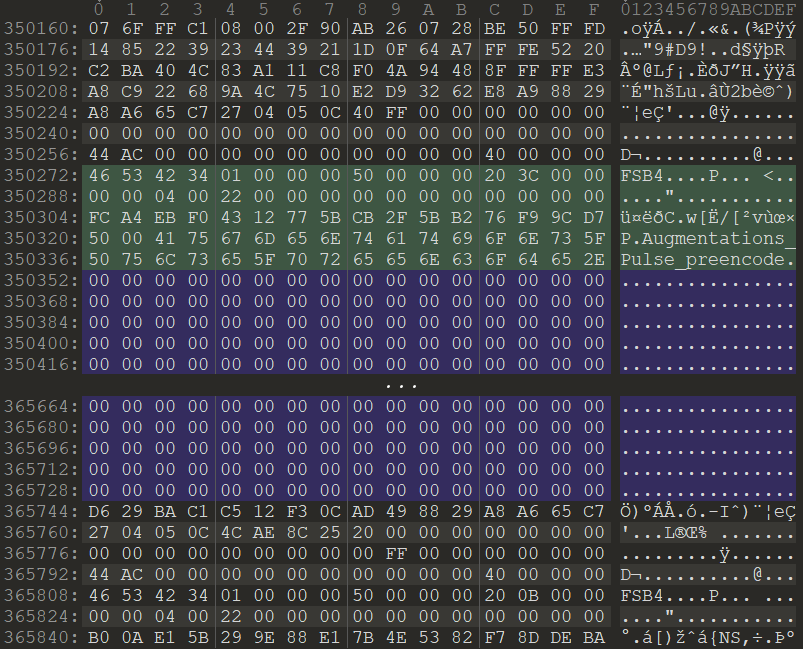
Now, you only need to search for the magic words “Augmentations_Pulse_preencode”. I can’t tell you a specific address to find it, of course, because it would be different for different versions of the game (or modded versions). Once you’ve located the sound name, the simplest way to remove the sound is to just “zero it out”, which has the effect of making it complete silence and also doesn’t upset the length of the sound or the data structure of the encapsulating file (modifying either could be potential sources of game breakage or instability).
Now, you could just assume that the sound data starts and ends at the same place as in my version of the file. It would save a bit of work decoding the headers, but could cause crashing if it’s wrong. But if you want to try this way first, I don’t blame you. The data starts directly after the name string (looks like the name strings are truncated at 30 bytes, so the “wav” is cut off at the end) and then goes for 15392 bytes—see the area highlighted purple in the screenshot below.
However, if you’d like to be certain of which bytes are the sound data (or the easy method failed), you’ll have to decode the second and third integers of the header. Recall that integers are 4 byte long numbers. Also, the file is little-endian, which means the bytes of the integer are in reverse order. The first four bytes of the header are a string “FSB4” identifying the data as an FMOD Sound Bank. The first integer after that is unimportant. But the second integer is the length of the header. For me, this value is 80 (0x50) bytes. So, starting at “FSB4”, pace out however many bytes you found the header length to be. This point is the start of the sound data.
Then, you’ll look at the value of the third integer to get the length of the sound data. For me, this was 15392 (0x3C20). So, starting at the end of the header, pace out however many bytes you found the sound data length to be. This point is the end of the sound data. Now that you have the sound data selected, you can fill these bytes with zeros. But that would take far too long if simply holding down the zero key on the keyboard. Instead, look for a “fill with zeros” or “fill with value” or “overwrite bytes” function in your editor, and use this to transform all the sound data to zeros.
After filling the sound data with zeros
That’s all the editing needed. Just save your file. Then, use Gibbed.DeusEx3.Pack to recreate the .000 archive so the game can read it. I would not recommend repacking bigfile as it is very large and anything less than perfect recreation could cause crashing. Instead use a patch file, or if you have the Director’s Cut version, use the Gibbed Mod Hook for this. My understanding is that you only need to point the packing program to a directory containing the single modified globalscaleformdatabase.drm file in this case.
However, if like me, you use the patch2.000 archive to hold your modified file, then don’t be alarmed if the size is drastically larger than the original; recall that we decompressed the target file earlier. Luckily the game engine doesn’t mind if the files are compressed or not when loading.
Then just copy your modified .000 file back to the game’s directory. And enjoy the bliss that is not having a heart beating in your ears when you’re just trying to read upgrade descriptions.
Downloadable Mod?
I know you’re wondering way I don’t just create a simple pre-built mod that I can easily share and is also easily used. While I would love to do this, there are many reasons discouraging such a thing. For one, the only mod loader for the game is oddly enough only for the Director’s Cut version, which I’m not sure is a version I want to play (with no discount to purchase for original game owners). And also, the file that needs to be modified is one that frequently gets modified for other mods since it’s responsible for all the UI, so that would lead to mod incompatibility. And finally, as I said before, this is probably a very niche mod to begin with and thus without large appeal.
I feel like I’ve gotten experienced enough with the Deus Ex scripting to where I can modify anything I want. So, I’ve been modifying everything I want. 😅 The changelog for the next version of my “SnakeMod” is getting to be almost as long as the full list of changes in the initial release itself. All the little things that have always bugged me, I just fix them. It’s kinda more fun than playing the game. I might have a problem.
I’ve also been making some mods for Slime Rancher, one of my favorite “I’m in pain” chill games. To be fair, there isn’t much about Slime Rancher that needs fixing, it’s a really well-made game. But there were a few small things that bothered me. For one: the water. Granted, you aren’t going underwater for 99.9% of the game. But when you do, it feels… suffocating. You’re slow, your jetpack can’t get you out a lot of the time, and you immediately fall to the bottom of the water as soon as you get in. So, I changed some of the physics so it actually feels like water. You can “swim” up by jumping, you sink slowly, and your jetpack resets when you get out of the water so you can easily fly out. It’s a pretty simple yet effective mod. It just occurred to me that I should make a page for Slime Rancher mods now. So, I’ll get right on that.
The other mod I’ve been toying with is something to indicate to the player that their energy is low when they’re either using or trying to use the jetpack. I swear every single person I see play this game ends up falling in the ocean (it “knocks you out” and you lose your inventory) at least once per playthrough, including myself. What’s telling is the code for a low energy jetpack sound was already in the game, it was just disabled. That says to me that the developers likely knew this was a problem, but decided not to fix it, I guess for the added challenge of constantly checking your energy.
I first tried changing the pitch of the jetpack sound as it got close to running out of energy, but that was too subtle to be used as a warning. So, my current iteration plays an alert sound whenever you try to use the jetpack with no or low energy or are using the jetpack and are running low on energy. Should give ample time to find a safe place to land or stop yourself from jumping off the edge. I’m just concerned that the sound might get too overbearing, and that it might make people too lazy about checking their energy levels. Definitely needs a full playtest before release.
The last mod I’ve been thinking about for Slime Rancher is a change to how the plort market works. I’ve always found it a bit tedious to so easily affect the price of plorts by selling too many and then waiting for weeks for the price to recover. I’d like to make the prices a little more forgiving so you’re not stockpiling plorts forever or so worried about selling a single one until it’s time to dump. I’m also considering adding some alternative market modes to make it even easier (for beginners and casuals) or even harder (for a challenge). I’ve already identified the code that controls all of this; I just need to actually make the mod.
And on a final modding note, my Stardew Valley mod for weapons stats exploded in popularity a few months after release, making it now my most popular mod at 16k downloads. It’s funny, I thought most players didn’t give a shit about decoding weapon stats, and that my collection sorting mod would be far more popular. But then one week, the downloads just skyrocketed up 3400%. Eh… the power of algorithms and shares. If only mods weren’t viewed as passion projects that don’t deserve compensation.
Oh… I also posted a small guide about the 1999 tank shooter game Recoil. It’s just a few tips and secrets I wrote down as I played. Fuckin’ love that game. *restrains self from modding it*
I’ve had the itch to play Deus Ex increasingly over the last few years. The first 10 years since the game was released, I repeatedly and thoroughly played it (as you can tell from my guide), and after roughly 10 full playthroughs, had kinda burned myself out on what was my favorite game. 🫤 So, I hadn’t touched it in the last 10 years other than for testing a few things and capturing gameplay.
But I finally gave in recently and started researching what the best mods to use were now. I liked Shifter back in the day since it made the game feel a bit fresher. But as I was craving a vanilla experience, I realized Shifter just added way too much beyond the core gameplay: new weapons, skill systems, augs, and lots of dubious or silly features. Then there’s Revision, which is all the rage right now, but again, I feel like it tries to do too much. I hear there’s a “vanilla mode”, but why would I bother with all of that to just play the original game. Maybe I’ll give it a try in the future.
HDTP (High Definition Texture Pack) hadn’t changed much since I last played with it. There are some good models here, but I really don’t like how the new character models look—they’re just too different and kinda amateur. Seems they are a polarizing feature as the creators went through the trouble of having an in-game menu to choose if you want to use the new character models or not. They state in the readme file that the new character models “were so damn contentious. Seriously, don’t get me started.”

I actually liked a lot more this little texture upscale mod that does faithful AI upscales of all the actor (anything placed in the world) textures. I wish someone would do the same for the world textures. As I realized when I did my AI upscale of the Deus Ex poster and some other classic memes, AI is quite good at maintaining the original look of the image and just adding in details.
I also tried New Vision—a high-res world texture pack—but didn’t really like it. It suffers from a combination of amateur work and being too detailed for such low-poly environments—you know when you have a giant flat wall, it’s really easy to see the texture looping over if it’s too detailed. Also, like half the filesize of this mod is taken up by high-res animated textures, they’re essentially videos but without any temporal compression, just each frame compressed on its own—extremely inefficient. Some of the signage is decent, though (although a lot of the Chinese text for Hong Kong is different and wrong—interesting choice). I starting ripping them out of the UTX files to use separately, but it’s kinda tedious to sort through.
And finally, I wanted to try a new audio renderer as well, in case I could get better sound quality from my remastered soundtrack (the Galaxy renderer is limited to 8-bit mod samples). So, I put an OpenAL renderer in for a few levels. But I found that it has several issues like the music getting stuck a lot.
Well, when I finally decided on what mods to use—partial HDTP (everything but characters), partial New Vision (signage), plus actor texture upscales and the requisite Deus Exe launcher and DirectX10 renderer—I fired up the game and was surprised to find that it still really holds up. After not playing for so long, I had forgotten a lot of the strategies that I would invariably employ in any given situation, freeing me to experiment with new ones. It’s really quite fun.
Lingering Troubles
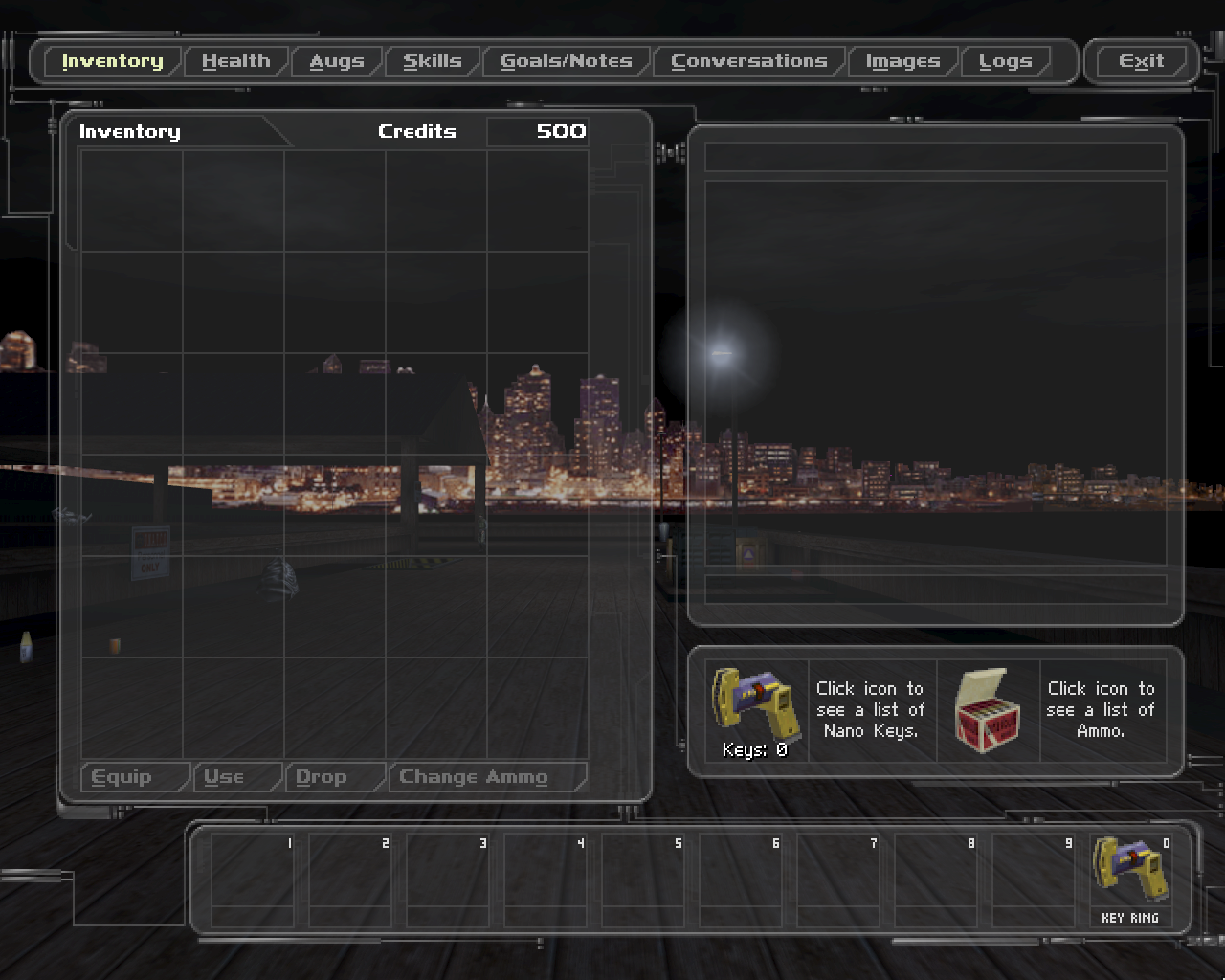
But… there’s a few things that still bothered me (you knew it was coming). The first issue I had was the HUD UI is really friggin bright. For a game that takes place entirely at night, having an interface that’s any bit brighter than just-barely-visible is like a flashbang, especially to my old eyes. I always use the “Ninja” UI theme since it’s the darkest (and least gaudy), but even that is too much. And the default theme is even worse. I compared some screenshots from 2002 and now, and the best I can tell is that the brightness slider overly affects the HUD brightness (it really shouldn’t affect it at all). So, cranking up the brightness to see the world better also has the unintended effect of making the HUD too bright.
Then there’s the codes and logins. It’s something I’ve complained about forever. Who the heck wants to stop every time they come to a computer or keypad so that they can look up if they have the login or code in their notes, then move their hands to type in the login, realize they’re misspelling it, go back to their notes and just copy the login, then paste the login and realize they now forget what the password was. And all this in the dark by the way, because it’s a dark game. It’s an absolute chore.
And finally, the bug with Paul. I remember the first many times I played the game that Paul always died. I’d clear out the Ton and Paul would say he’ll be fine, but then next thing I know he’s dead. I thought that’s just how the game was until I tried Shifter and realized that my habit of going out the window to snipe from the roof was killing Paul every time. And now, without Shifter, I had to make the difficult choice of not sniping from the roof or killing Paul. Fine… I’ll save Paul and just walk out the front door… grumble
A Mod of My Own
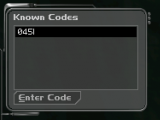
So, I decided to start poking around with the game to see if I could mod it myself. I was thinking about making a system that would allow the player to automatically learn and enter codes and logins as they found them; Human Revolution does something similar as far as I can remember (dang, I should play that again, too). But to start, I needed to know with certainty every code and login in the game. This is a rather difficult proposition. It’s actually very tedious to hunt down all the keypads, computers, and ATMs in UnrealEd, so I gave up on that immediately. There are a couple package viewers for Unreal 1 packages (which includes Deus Ex map files), UTPT and UE Explorer. But they both have sizable issues for this sort of thing, and again, you have to open and search through every map, so it’s still pretty high on the tedium scale.
I actually decided to instead use AI to help me figure out the package format and write a script to search through all the maps at once. However, the documentation for Unreal 1 packages isn’t all that great anymore—this is the best I could find—so there was still an awful lot of reverse engineering and trial-and-error involved. CompactIndexes sure are an interesting thing! 😝 I uploaded some of the code and documentation I created to Github in case that aids anyone (or just simply helps preserve the information). In the end, I came up with a list of 129 unique and knowable codes from the game. (There are about 235 unique codes altogether, but you can’t find almost half of them. Also, two codes are given as partials, and I found out that one code is actually a bug.)
But then came the part where I actually had to write some new code for the game. I had toyed around with this a couple years ago to add a few console commands, but that was relatively simple and I just used UnrealEd to compile it. However, my planned changes would involve many script files and it would again be too tedious to work with these in UnrealEd’s little class hierarchy browser. Using UCC seemed like the obvious choice, although I had many issues getting it setup.
First of all, UCC won’t decompile (ucc batchexport) the Deus Ex scripts without giving an error a few scripts in. You actually have to use the “Export All” button in UnrealEd to get a clean decompile of all the scripts. You aren’t asked where UnrealEd will export to or where UCC will compile from either, everything is pooped out and then read from Deus Ex’s root with directories for each package—this makes keeping your game and development environments separate a real hassle. If you want UCC to recompile a certain package, you have to first delete the package from the System directory so it knows, you can’t otherwise choose certain packages. Also, both UnrealEd and UCC check the DeusEx.ini to know which packages ([Editor.EditorEngine] > EditPackages) and where to load from ([Core.System] > Paths). It’s important to check these in case (for example in my case), HDTP has put an overriding DeusEx.u package in a separate path that you don’t know about. Another curious thing that I stumbled on for a while is that UCC takes scripts with defaultproperties defined at the bottom while UnrealEd does not—it will error at compile if you have default properties.
But once I got all of that figured out, it was mostly smooth sailing writing the code for the mod. The AI I was using (Claude Code Sonnet 4.5) made quick work of understanding the class inheritance hierarchy, UnrealScript’s antiquated quirks, and what any given script was doing. I just had to guide it onto what changes to actually make and how best to do them, and then proofread what it produced to make sure there wasn’t anything stupid going on (as you do generally with LLMs these days). What would have been previously too overwhelming for me with my health the way it is, instead took about four maxed out sessions with Claude. I still had to figure out the new UI textures on my own, though.
Here’s a demo video of the new code learning system:
Finishing the Mod
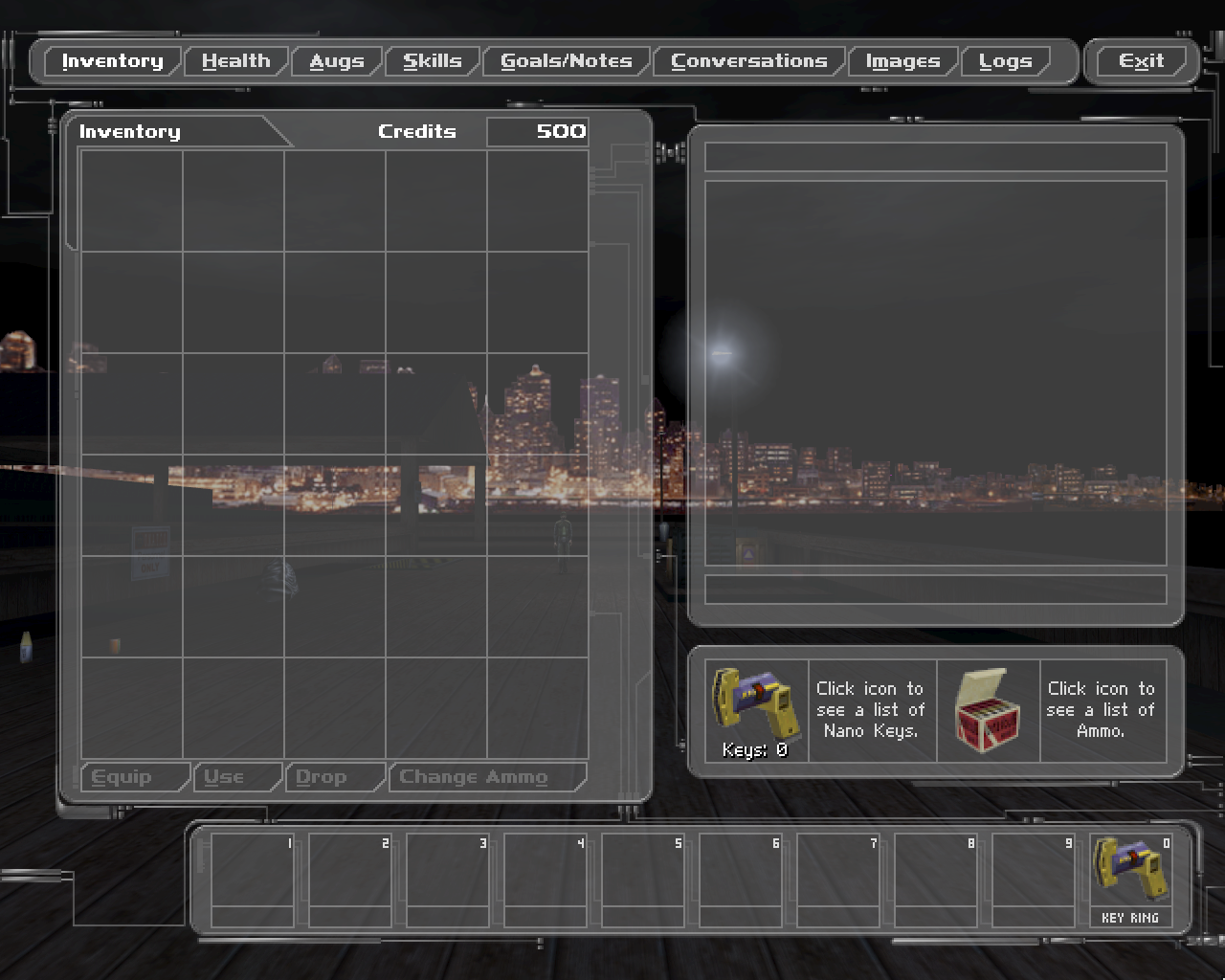
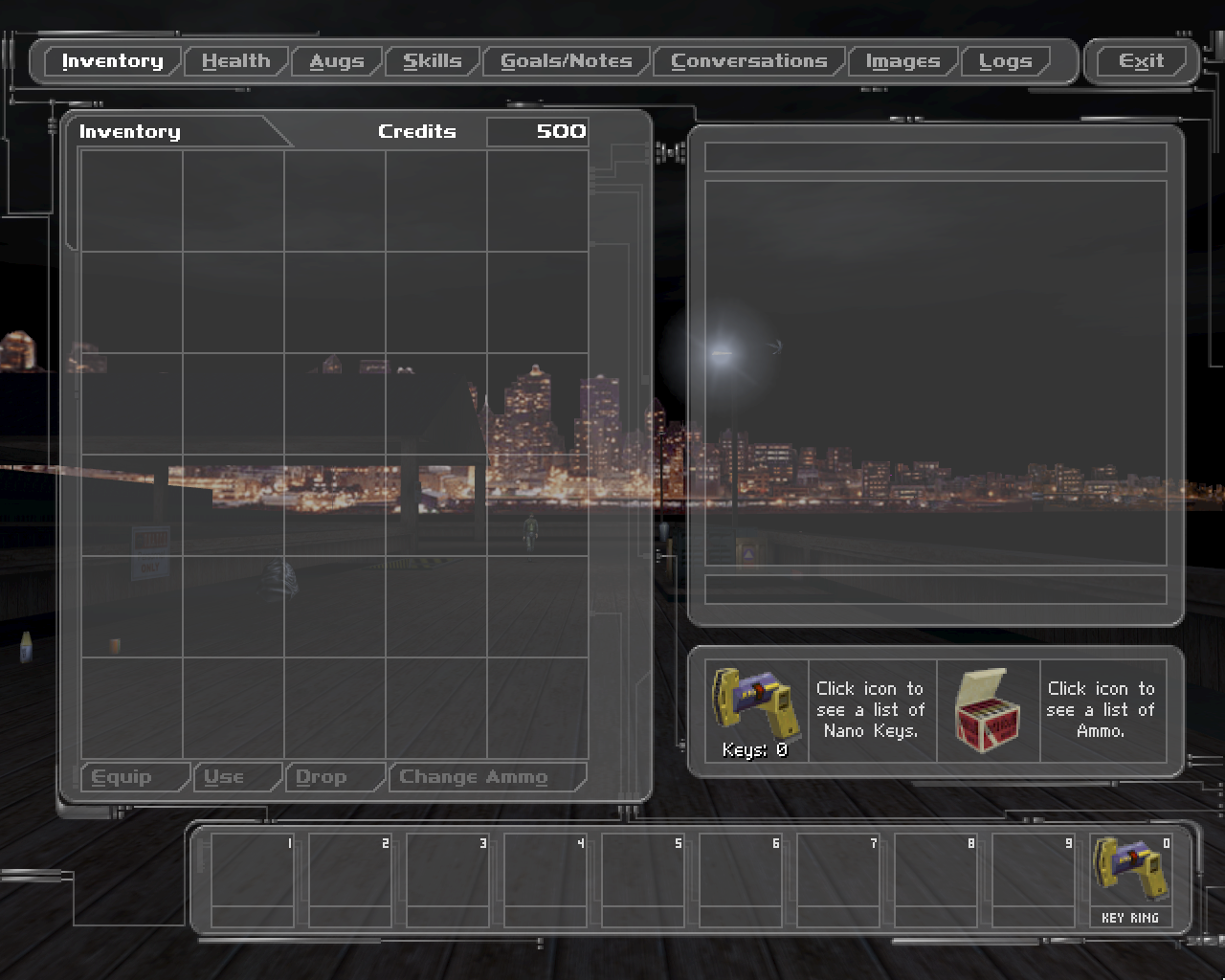
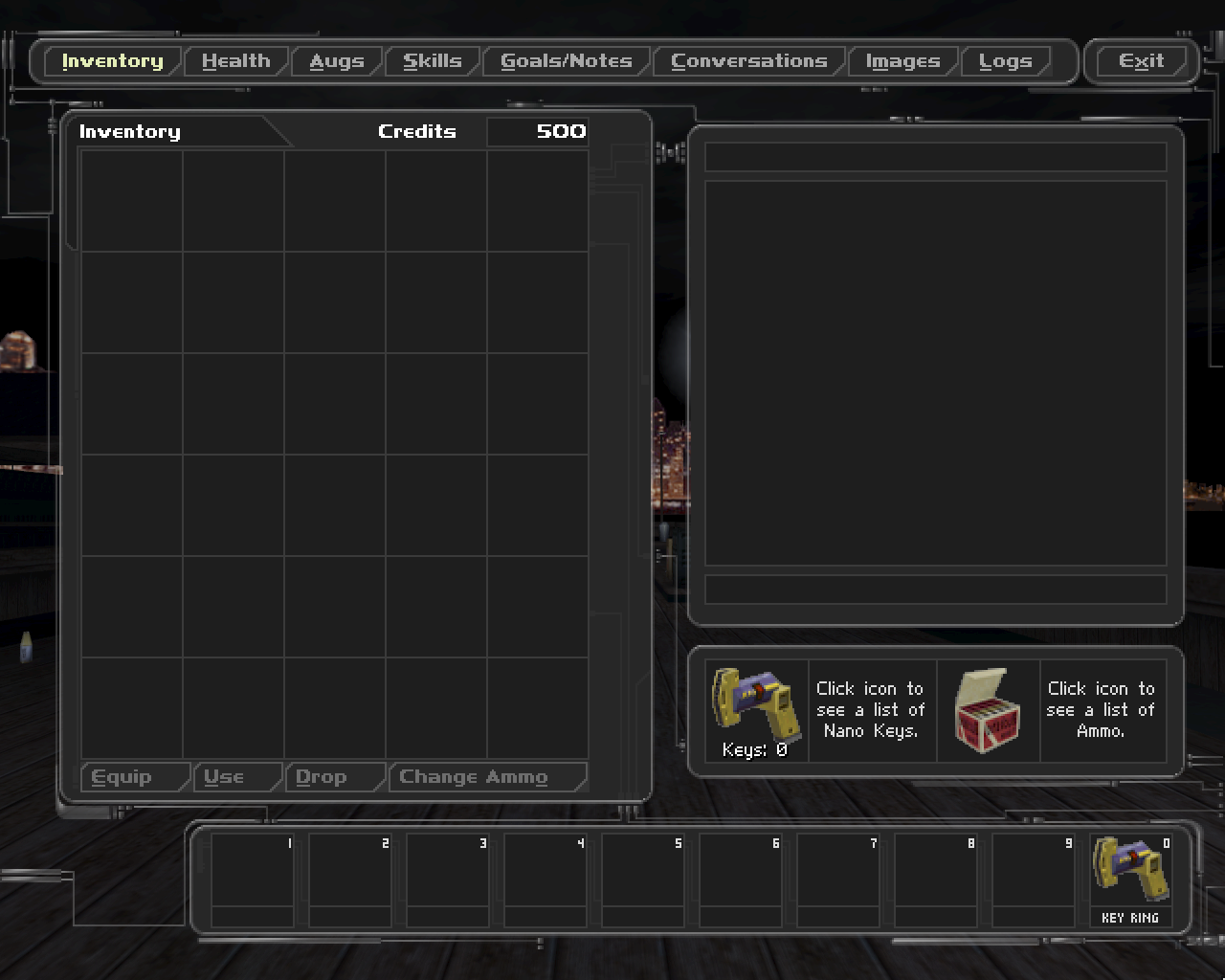
After all the work it was to add the new code learning system, it was refreshingly simple to change the HUD theme. You just open up one of the ColorThemeHUD_*.uc scripts and change what you like, then add it to the CreateColorThemeManager() list in DeusExPlayer.uc. So, I did a minor modification to the Ninja HUD theme to make it much darker, resulting in a 60% decrease in luminance for HUD background textures—so much easier on the eyes. I did find a little issue later, though, when I realized that the HUD themes are saved in the savegames. So, I had to add a little utility to reload the themes in the “Colors” settings menu. Otherwise, you couldn’t use the new theme in an existing save—not cool.
Here’s a comparison of the default HUD themes and my new darker one:
Default Theme
Ninja Theme
Darkness Theme
Darkness Theme Opaque
One of the main modding difficulties for Deus Ex is that there’s no modularity. Basically every mod needs to make changes to the DeusEx.u package because almost all the main game logic is in there and UCC needs to see all the scripts to even compile. It would be great if someone could make a mod loader that would allow different packages to be loaded and extend/override existing classes, but I don’t know if the engine or compiler could support it quite frankly.
But what I’m getting at is that if you want features from multiple mods, you have to manually merge them together. And being that I wanted a few of the fixes from Shifter, that’s what I had to do. I was fairly conservative about the fixes I included; I only wanted ones that fixed major general bugs or missions bugs. So, I left any exploits or weird glitches intact—I don’t feel like it’s my place to decide for anyone whether or not they should use an exploit. Sometimes I use the inventory overlap exploit anyways. 😄 (Don’t ask where I put that vial of ambrosia, Dowd!) Copying the fixes was a little bit cumbersome, but most of them are just in the MissionXX.uc scripts anyways.
But then I also went through the process of adding HDTP support to the mod, which was also a bit tricky. Shifter’s support for HDTP is rather complex with special functions for loading and unloading HDTP actors on-the-fly depending on if it’s enabled or not. I thought I could simplify this by just making a version with and a version without support for HDTP—only a couple of the HDTP scripts overlap with my modded ones. But it still turned out to be a bit of a chore with moving packages and scripts around so that UCC can find them all. But it does work.
I’ve tested a fair amount of the game with the mod, and although I’m sure I’ll find bugs once I play through it properly, I feel like I can release what I already have. So, you can download the mod from this page if you are so inclined. I’m merely calling it SnakeMod since I can’t think of anything clever. But if a better name comes to me, I’ll change it.
There’s another mod for Deus Ex called Transcended that has a very similar focus and is more feature-rich. But yet, it doesn’t have the same improvements my mod does and does fix lots of quirks and exploits which I don’t want to. It’s definitely a good alternative, though, and perhaps I might merge some of the changes with my own mod (or vice versa?) at some other time.
HDR
I was also playing around with the DirectX 1o renderer for the game a bit as I was in the midst of modding. There’s a setting to turn off “Classic Lighting” and turn on HDR lighting. The HDR makes scenes have more contrast as well as adding some tonemapping and bloom on lights. However, the original author made some dubious choices about how the adaptive luminance should work. They gave it an absurdly long recovery time (like 30 seconds) that leaves you blinded for at least 10 seconds after looking at a bright light—basically unplayable. And also the range of the adaptation wasn’t limited at all and could get way too dark.
There’s a small mod to the HDR listed on PCGamingWiki that tries to fix these issues by just disabling the adaptive luminance altogether, but that leaves some bright scenes completely blown out and dark scenes pitch black. So, I tried to fix the original intent of the HDR by making a few more overarching changes. For one, the range of luminance levels is clamped between a high and low limit. Secondly, the speed of the adaptation is vastly increased; it only takes about a second now. Third, the response is slightly less linear, so that both subtle changes in scene lighting have a smaller effect on adaptation, and vice versa, that bold changes have a greater effect. And finally, there is a slight preference to the center of the screen when adapting luminance, so that what you’re looking at has a greater effect than what’s in the periphery.
I think all these changes combined make the HDR effect now quite usable, and also so subtle that I’m barely noticing it most of the time—which is what the goal is, I think. Although, there are a few situations that warrant some further tweaking of the shader; sometimes white textures or brightly-lit surfaces are given a bit too much darkening. But I’m pleased enough with my changes that I am releasing the HDR shader file as well. The values to tune are pretty well labeled and documented in code comments, so I encourage others to tweak them as well, in case they prefer a slightly darker scene or faster adaptation, etc.
Final Note
I just wanted to say a little about an old friend that passed recently. He was the one that I started my original website with way back in the year 2000. And fittingly for this post, he was the one that convinced me to play Deus Ex. For weeks he was going on and on about how great the game was until I finally relented and gave it a try. He wasn’t right about many things, but he sure was with Deus Ex.
So… cheers to Loogie. He deserved better, and he will be missed.
Many of my audio projects end up creating large amounts of uncompressed WAV format audio since it’s lossless and easy to work with. But when I’m done with the project (at least for the time being), I don’t want to keep all these gigs of uncompressed audio just eating up space. But I also don’t want to delete them or compress them into something lossy since I might need them in the future; I learned my lesson with deleting intermediate files when revisiting projects before.
So what to do? In the past, I just threw all the WAV files in a WinRAR archive (with default settings) and called it a day. However, after a recent cleanup/organization of files, I was left questioning how effective the RAR approach is. So, I tried compressing about two hours of WAV audio using 7-Zip and WinRAR and tweaking as many different settings as I could so as to find the optimum settings for each. I also tried using FLAC as a non-archive alternative. Here’s what I learned.
7-Zip
7-Zip has had a steady popularity over the last ten years as a free alternative to WinRAR with comparable results. I’ve switched to offering downloads on my site using this format instead of WinRAR in recent years as 7-Zip is now widely-adopted and easy to acquire and use. But is it any good at raw audio compression?
Looking over the literature, I was seeing several mentions of increasing the dictionary size in 7-Zip leading to better compression, especially with larger files. However, when I tried larger dictionaries, it actually resulted in slightly less compression ratio. The overhead of maintaining a larger dictionary must outweigh the compression benefits for audio data.
I also tried increasing the compression level in 7-Zip, but this too gave a slightly worse compression ratio (<1% increase) at a cost of taking twice as long (from Normal to Ultra). This is probably due to the dictionary size increasing automatically for Ultra mode; when the dictionary is set back to the default 16MB with Ultra, there is a very small improvement that’s definitely not worth the additional processing time.
The optimal settings for 7-Zip with WAV audio seem to just be the defaults. At its best, 7-Zip achieved a 70.0% compression ratio but at about half the speed as WinRAR.
WinRAR
According to Google Trends, WinRAR has been the dominant compression utility for the last 20 years. Its relaxed approach to trial versions has made for great memes and given no reason to buy a license or for another product to compete. Myself and many others swore by it for a long time, but is it still the king of compression?
For WinRAR, dictionary size didn’t seem to have much of an effect (either positive or negative) with my test files. It might more intelligently reduce the dictionary size if doing so gives a better compression ratio. But I found that increasing the dictionary size from default definitely doesn’t help the ratio, and decreasing the dictionary size is expectedly even worse.
Increasing the compression level in WinRAR gave a very modest improvement (<1% decrease) in ratio for up to about twice the compression time (from Normal to Best). Overall, WinRAR seems to be almost twice as fast as 7-Zip at WAV audio compression while still achieving a 70.0% compression ratio at its optimal settings. Things are not looking good for slow-poke 7-Zip.
WinRAR also allows creation of RAR4 archives, an older version which has a mode specifically for compressing WAV audio. It improved the compression by a small but consistent amount even though the dictionary limit for RAR4 is just 4MB. And it also seems just as fast as RAR5 (or later). Its compression ratio was 68.7% with the test data. Using the “Best” compression level here had a negligible effect.
FLAC
FLAC has been around for quite a while, but I had never given it much regard as anything other than an intermediate format, something to transcode into MP3 and then delete typically. In case you’re unfamiliar, it is a free, lossless codec for audio, meaning the data is supposedly functionally exactly the same as the uncompressed input. I was hesitant to use FLAC for long-term audio storage as I’ve previously found it rather cumbersome to work with, especially for multiple files.
With my test data, FLAC had the best compression ratio of anything so far at 57% (using the default compression level). It was also by far the fastest, about 3 times faster than WinRAR. At max compression level, there was only a tiny increase in compression ratio (<1%) while taking about 12 times longer.
Converting the files back to WAV from FLAC reveals almost an exact copy of the original WAV file, with the caveat being that the encoding software tag will have likely changed and also some software-dependent metadata may be stripped away (like from Adobe Audition). However, upon comparison of the files in a hex editor, the audio data did appear to be exactly the same. Compression of test files was done with FFmpeg with minimal options so that format specifications (like bit depth and sample rate) remain unchanged by conversion.
Conclusion
Overall, I think the best option is to use FLAC for long-term storage of WAV files. It’s faster, has better compression, and can often be opened natively in whatever player or editor one might use. Although, if you need to be absolutely certain the files are unchanged by compression for whatever reason, RAR 4 is still a good option. It’s relatively fast, completely lossless, and stores files in nice, compact archive files that can be easily extracted from and preserve timestamps.
The only remaining hurdle I had before I could use FLAC for my long-term storage needs was how to bulk-compress directories, and in a reversible way. However, 30 minutes with an AI got me a decent solution in the form of a Python script that can do just that. It’s nothing special, but thought I’d just include it in case it saves someone else the trouble. You’ll find it on GitHub.
Since my last post on the topic of Borderlands 2 modding, I did manage to finish up and release the weapons accuracy mod I was talking about. I was able to get through a whole playthrough as Maya without encountering any massive game-breaking issues, so I figured that was a good start for a beta release. The fact that the mod makes the game so much more enjoyable to play really helped me keep up the momentum with testing and making tweaks as well.
Since then, I’ve also been releasing a bunch of other, smaller mods, some using the Python SDK, some using batch text commands. You can find them all on the Borderlands 2 Mods Page. There’s really only a few more mods I’m wanting to make for the game.
One mod I’ve been investigating since the beginning is changing the vehicle controls from mouse turning to keyboard turning. It’s always baffled me why nobody else made a fuss about the mouse vehicle turning in this game (and the predecessor). I feel like on PC this was the first popular game to do this and yet everyone was just like “okay”, even though it’s obviously inferior and stupid to have both vehicle turning and vehicle weapon aiming on the mouse. Meanwhile, the keyboard left and right movement keys are just there being unused like “am I a joke to you?”. I assume it’s just a melange of console control bullshit seeping over, noobie kids that don’t know better, and non-technical PC gamers just accepting things for what they are. But I won’t stand for it! Even if I’ve been playing this way for years, it still feels wrong! I think the change is probably possible, although it will almost certainly take the Python SDK to do so. I’ve already scoured the configs and data files looking for ways to reassign the turning axis but came up fairly empty-handed. Luckily, I think I’m comfortable enough with the SDK at this point that I’ll be able to figure it out if it’s at all possible.
I’m also still tweaking the Perfect Accuracy mod, though, of course. One change I made initially with the mod was to remove the dumbass insane recoil from the first few shots of Hyperion weapons. It made the Hyperion SMGs essentially unusable as you’d waste the first fourth of a mag just hitting fuck-all. But I kept the relatively good recoil that Hyperion weapons had overall. I didn’t realize at the time, but the Hyperion SMGs and pistols also had really low hip-fire spread for some reason (the Hyperion stats are kind of a confusing mess because of this weird initial recoil they do), and this made them basically hip-fire laser-beams with lower recoil and inaccuracy. I’m toying around currently with ways to correct this, but I’m probably going to go with something where the Hyperion weapons have best-in-class recoil but worst-in-class hip-fire spread. This kind of fits with the original flavor of the Hyperion weapons anyways, without being too annoying. It just means the player will need to judge when to ADS or hip-fire differently compared to other manufacturers’ weapons. But trust me, if it doesn’t feel good to me, it won’t go in the mod. I don’t know how something like that got into the game in the first place—maybe for a gag? Sure, for a gag, put the effect on a legendary weapon, not an entire manufacturer’s unique feature.
I also did pick up a bunch of the DLC for the game on a recent Steam sale, so it’s quite likely that I will add support for their weapons in the Perfect Accuracy mod eventually.
I guess I should also mention this demonstration video I did for the Perfect Accuracy mod. I spent a while on it and it ended up being quite long—most certainly too long if we’re being honest. I just wanted to be thorough because I have a feeling a lot of people just won’t “get it” otherwise, they’ll just be blissfully ignorant of the situation and totally accept it as is. (Am I just too much of a nit-picky perfectionist or are there a lot of people these days that just accept whatever is told to them because of hype, charisma, reputation, whatever misplaced trust? Nobody challenges anything anymore.) But at over thirty minutes long, I should really find a way to distill the video down into a more succinct package that still gets the message across. Something to think about for a final release perhaps. Anyways, here’s the video in case you like watching changes instead of just reading about them.
Fist Fuck
Several years back I toyed around with Doom map making after another enjoyable full playthrough of both the original 90s games. Besides an interesting but never-finished beach-landing map and a bizarre bastardization of the noteworthy Marines map (my favorite feature of which was the zombie sergeant death sound being changed to a recording of Butthead saying “did I just score?” 😄), both that I did when I was a teen, I never made a proper Doom map. I have good ideas for maps generally, but the constant creative minutia gets to be too tedious for me after a while.
But the thing is, I did actually finish one small map and then forgot to publish it because I was anticipating finishing another much larger map just after. The smaller map in question is called Fist Fuck. It’s an apt name given that the only weapon at your disposal (practically-speaking) is your fist with the berzerk powerup. It was born from my curiosity about how useful berserk could actually be. In the base game, it’s never really clear how powerful or lasting the berzerk powerup is (it’s quite powerful and lasts the rest of the level btw), so I basically wanted to create a level to explore the possibilities of berserk.
Obviously, the range limitation of berzerk means that pitting the player against enemies with ranged attacks at range would be quite difficult. So, I mainly stuck to hoards of weaker and melee-only enemies and lots of tight corridors. Besides, one-shotting lines of weak enemies into red mist is as satisfying as gobbling the white dots in Pac-Man, arguably even moreso in fact.
Now there are many different versions of the Doom engine to target ever since the source code was released. But to give myself a challenge, I thought I’d try to make the level support the original Doom2 engine so that it could work on any of the ports (theoretically), even the original DOS one. And sometimes I think the Doom mappers go too far these days; sure, you can modify the Doom engine to add whatever features and remove whatever limits you want, but why not just use a modern engine at that rate? To be fair, the multitude of Doom engine limitations are quite cumbersome. But still, completing the challenge and saying your map can run on any version and port of Doom(2) feels the utmost fulfilling. Here’s some screenshots of Fist Fuck running on DOSBox for what it’s worth.
The command line to run. Pretty simple.
Have to pause the fisting to get a screenshot.
You can find more information, a video, screenshots, and the download for Fist Fuck on the newly-created Doom Levels Page. As I said before, I wanted to have more than just one map before I made a page specifically for Doom maps. But who knows when I’ll feel up to finishing the other map, perhaps after another complete playthrough of Doom and Doom2. 😛 I don’t know. I think the amount of pain I’m in on the regular is just too much to support such creative ventures anymore unfortunately. But I want to end with a few screenshots anyways, so we can see “and all that could have been”. They’re a mix of Chocolate Doom and ZDoom as the resolution of Choco is just too low to convey much in a mere screenshot most of the time.
I’ve made a bunch of modifications to the site that should hopefully make it a lot easier to read on mobile devices now. I’m really sorry I neglected to do a proper job of this for so long, but when I made this site back in 2011, mobile support was basically an after-thought. And now it’s just one of those million things that I haven’t the mental capacity to do anymore.
But I think I’ve got it hacked together enough to where it works—at least on phones. I’m pretty sure I accomplished this in what would be considered a non-preferred way by increasing font sizes instead of clamping page widths, but this kept me from needing to fix an untold number of content elements inside posts/pages.
I’ve been wanting to fix this for ages, but it really struck me recently how so many people are browsing on their phones now. Of course, what I really want to do is rebuild this site from scratch with a responsive design. But then, I’ve spent most of the last two weeks stuck on the couch. So, that’s where things are at now. 🙃
Anyways, if there’s any glaring errors, let me know in the comments. I will do my best to fix them.