Author Archives: Snake

Lessons in Overclocking

As I mentioned in my last post a week ago, I had a hunch that the CPU was the source of all my locking issues in games. Originally, I suspected the clock was too high at ~100Mhz over stock, 2158 (166*13) @ 2262 (174*13). However, while researching Athlon XP’s on Wikipedia, I noticed that none of the Thoroughbred’s were set above 1.65 Volts, yet I had mine set to 1.70 Volts for years. I can’t recall now why I set the core voltage up .05v; it could have been that my original overclock demanded it for stability, there was a perceived need for increased voltage for better stability, or just my own ignorance at the time. It seems reasonable that the voltage is responsible partly, if not completely, for the instability. Increasing the voltage is often necessary to maintain higher clock rates, but they also add to the watts of thermal energy the CPU puts out (increasing the likelihood of overheating). It is also my speculation that increased voltage puts more demand on the capacitors that regulate the CPU power, potentially causing over-voltage failure, and it just so happens that I noticed a couple slightly burst capacitors recently (as seen in the photos below)–wondering if there’s a correlation.

Since I still couldn’t be sure if the problem was the core voltage or not, I was planning a battery of tests the day after Christmas to find a suitable CPU clock. I’d recently realized that my chipset and memory were both rated for a 200Mhz front-side bus, but I had been keeping it close to the CPU’s default of 166. Luckily, I got my 2700+ a couple months before AMD started locking the multiplier by default; therefore, I would be able to drop the multiplier and raise the FSB, roughly maintaining the CPU clock while increasing the memory bandwidth. I was hoping this strategy would allow me to lower the CPU clock as much as necessary and make up the performance with increased bandwidth. The only unknown factor was possible increased CPU latency due to the lower multiplier.

I spent five or more hours running through my test battery, which consisted of Sandra 2005 CPU Arithmetic, CPU Multimedia, and Memory Bandwidth tests; some or all of 3DMark 2005’s game and CPU tests; and the Half-Life 2 benchmark (which apparently is only available through Counter-Strike: Source now). 3DMark’s GPU tests were understandably unhelpful, except later on when I discovered that the Firefly test was extremely memory-intensive. As I tried to find the maximum stable FSB clock, this test proved most helpful. Half-Life 2 showed little responsiveness to the increased memory bandwidth and was only slightly more affected by the CPU clock, even when the video card wasn’t the bottleneck. Sandra’s tests were the most consistently telling of raw performance. As expected, memory bandwidth scaled quite linearly with increased FSB clock. And although the multimedia benchmark was mostly useless, the arithmetic benchmark showed slight performance degradation due to a lower CPU multiplier; but in the end, it was much more affected by CPU clock speed.

Tnews250he benchmarking sequence I took was to decrease the multiplier by .5 each time and then bring the FSB up until the CPU clock was about 2200Mhz. However, when I reached 11*200, I noticed that HL2 and the 3DMark were exhibiting strange crashing. I tried lowering the FSB until I brought these crashes under control (~190Mhz). However, at 11.5*190, the CPU clock was too low, so I raised the multiplier to 12 and set the FSB to 186Mhz for a comfortable 2232Mhz. This has proved to be very stable over the last week, so my next move is to bump up the FSB to 188, which would bring the CPU clock to nearly the same as it has been for the last few years and ultimately show that the core voltage was the problem all along. All these tests were run with a core voltage of 1.65v (stock).

The only problem with using a multiplier of 12 instead of 13, is that most programs identify my CPU as a 2400+ instead of 2700+. But really, it’s more like a 3200+ in terms of performance.

I’ve been enjoying my new stability by playing through Half-Life 2 Episodes 1 and 2 in the last week. Yes, episode 2 was that good that I wanted to play it again. It was much easier to appreciate the game without random locking and with commentaries turned on. I was surprised how often Valve mentioned changing the game in response to the actions of playtesters. This seems like something more developers should pay better attention to.

Posted in Benchmarking, Hardware, Troubleshooting | Tagged , | Leave a comment

A Special Happy, Fun-Time Holiday Post

As is customary for an after semester post, I will say how the semester was a bitch and report my grades. Well, it was a bitch, and I didn’t get anything below a C, so woot. The biggest bitch part was a recommendation report for an BS required English course; unfortunately, it was a group project and I chose a topic that my group was completely incapable of working on: parallel computing. Although a couple sections are missing, the paper is in a refined enough state that I’ve decided to post it here. I’m now a self-taught expert on parallelism, at least.

On my final exam day, CNET Download.com finally got around to approving my submission of Cursor Lock 2.0. It got a couple hundred downloads in the first few days alone, but has since slowed down to about 20 downloads a day. Of course, I never really expected it to be a hot, must-have app; it’s more of an awesome, there when you need it app.

For my next programming project, I’m looking into finally doing a Trillian log converter, which I first mentioned this time last year. Trillian’s native bastardized XML format does not scale well (the more you chat with someone, the longer it takes to access their log) and can only be read with the built-in log viewer. I think that any features which necessitated the use of a proprietary log format over HTML format are of questionable value. I’m sure I can replicate all of the most important features in simple, universal HTML format: bookmarks, search (via Google Desktop Search or something similar), calendar (from splitting into different files by date), and masking different message types (through some delicious CSS and JS). It has the added benefit of extensibility, too; I plan on giving all the page elements their own class, so users can change log formatting to suit their preferences.

news247

Duber the pet monkey from Siberia says hello.

I’ve only written a specification outline for the program so far. Mostly, I’ve just been relaxing to some gaming. The AOE3 expansion, Asian Dynasties, has renewed my interest in Age of Empires. I skipped the War Chief expansion because, frankly, I’m tired of fucking Indians. But the added map locations, high-level home city cards, and civs of Asian Dynasties is just what the game needed. Although China’s unit training differences are too odd for me to handle, Japan has really killer unit upgrade cards plus powerful units already that compliment my turtling style.

Of course, I had to play Portal and Half-Life 2: Episode 2 also. Portal was so fun that I finished it in one sitting 😕 –it was a truimph. Episode 2 was also pretty good; there are some really intense firefights and well-crafted environments. However, as with Fortress Forever, locking issues started creeping up again. Lowering the sound acceleration in dxdiag seemed to make some difference in the time it took to lock, but ultimately they were still completely random. Monitoring component temperatures showed that the CPU temperature was a little high (but still nowhere near the 140F I reached over summer), so I cleaned the HSF out again. That further decreased the frequency of locks, but alas the problem remained with Source Engine games. My latest hunch is that the CPU is just getting tired of the overclock of 100Mhz (2.15 to 2.25Ghz) I imposed years ago. So I’ve been lowering that by half with nVidia’s old nForce2 system utility before playing. So far, results have been promising.

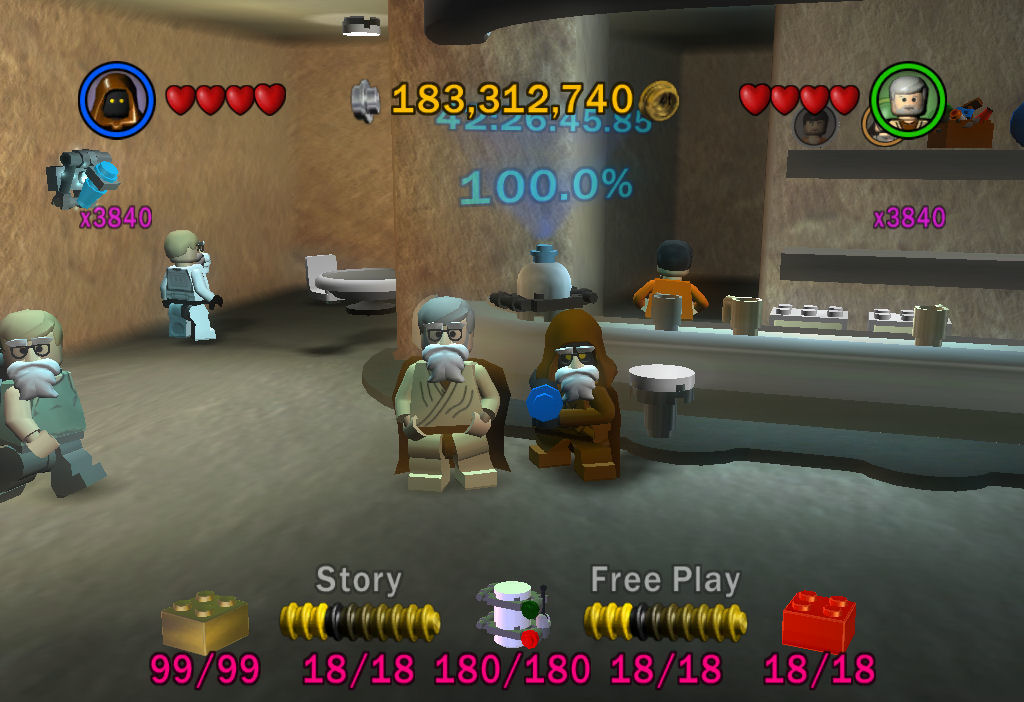
As for games that don’t lock my system up, Kaylen and I finally reached 100% completion in both Lego Star Wars games during her recent visit. It’s clear that the second game is by far superior, but going back and playing the first game from the newer trilogy was still kickass lego fun. Next year: Lego Indiana Jones. Oh, hell yes.

news246

Lego Star Wars

news245

Stud fountain with 3840x score multiplier and Santa disguises.

Posted in Gaming | Tagged , , , , , | Leave a comment

Cursor Lock Optimizations

My recent major version of Multimon Cursor Lock was pretty CPU efficient, using around .15 to .3 seconds of CPU time after two minutes with a poll rate of 20ms. Still, I was noticing a large number of page faults while the program was polling–about 100 for each poll. Page faults occur when a needed “page” of memory is not currently in physical memory and thus needs to be loaded back in from the page file (swap space on a hard drive). Of course, page faults are not fatal, but they do lower performance.

Tonight, I finally decided to investigate the page faults and see if there was any fix. It was really as simple as watching Process Explorer’s process performance tab while stepping through the code. It didn’t take long until I found the culprits: CreateToolhelp32Snapshot() and Process32Next(). (I use these functions to enumerate the processes on a system. Of course, using EnumProcesses() would have been a better way, but that API function is only available on 2000/XP+ and I wanted to support as far back as 98.) Creating the snapshot requires at least 20 page faults, and looping through each process is a few more. Since I saw no memory actually being swapped, I figure the system module that contains this legacy function must be at fault (pun intended).

Seeing that my process enumeration code was causing 100 faults every time it ran (give or take, depending on how many processes are running), I came up with a simple optimization to cause it not to be needed as much. It was basically just to allow the program to remember the ID of the process it locked to last and check if its window still had focus on the next poll. Thus, while the program (typically a game) is locked, it doesn’t need to enumerate processes and creates no page faults. When I went to look at the performance for my optimized code, I actually had trouble seeing if it used any CPU at all. Apparently, the usage is so much smaller than the performance counter’s resolution, that after five minutes of locked polling, I couldn’t see any increase in CPU time usage. Because the usage is so immeasurably small, it was amusingly difficult to say how much the performance increased for the changelog.

Also, I’ve written a new column recently; it’s in the guides section, but it really doesn’t fit that category. I’d love to rearrange my column categories to include a software one, but unfortunately the URLs for columns are based on their category. Anyways, if you enjoyed this post, you’ll probably enjoy this column as well. It’s the same kind of reverse engineering goodness that gets us geeks all hot.

Posted in Programming | Tagged , | Leave a comment

Cursor Lock 2.0 and Power Supply failures

I’ve been wanting to rewrite one of my VB.Net programs over in C++ recently, just to force myself to learn the language better. Since there was no way in hell I was going to tackle any program with a graphical user interface, I chose the locking portion of my Multi-Monitor Cursor Lock to port. Looking over the code for a recent feature-request update, it seemed like most of the code involved Windows API function calls and data types, which are actually easier to implement than in VB (you just have to include windows.h).

Really, the two most difficult to learn fundamentals of C (having come from a VB/Java/PHP background) are character strings and pointers. Pointers really aren’t that bad once you learn how the operators work, but you still have to stop and think about any redirections: “& returns an address, * returns a value”. The problem with strings is that there are a million types of them and getting them to play nice requires all sorts of tricks; there’s character arrays, pointers to characters, constant version of both of those (which I still don’t really get–how can something return a constant?), string class, cstring class, wide characters, ANSI characters, Unicode characters, multi-byte characters. Since I wasn’t using MFC or ATL, I decided to stick with the string class, which could be initialized from character arrays or character pointers. And although its c_str() function returns a const char *, you can use strdup() or strcpy() to easily get a char *, which many API functions require.

After trudging through the code for parsing the command line switches in and reading default values, the code for the actual locking portion just kind of rolled out (being comprised almost completely of API calls). Doing the code was fun, but the benefits that I

news241

Testing Cursor Lock compatibility required me to install Win98 in VMWare.

saw during performance testing blew me away. I ran the VB.Net and C++ versions for two minutes at 20ms poll rate to see the CPU usage. .Net used 8.6 seconds of CPU time compared to C++’s .3 seconds: a 29 times performance increase! This test couldn’t have been more definitive as the algorithms were virtually the same; remember, I said the locking portion was mostly system calls. Then, I tested memory efficiency, which was also delightful but the difference was less dramatic: ~16,000KB to ~1,500KB (~10x less memory) or ~7,000KB to ~400KB (~17x less) using the SetProcessWorkingSetSize(hProc, -1, -1) trick–not too shabby. Also, without the .Net “Just-in-Time” compiling, the C++ version doesn’t have a two to three second start and close delay.

Happy with my results, I started working on new documentation for Cursor Lock 2.0, so I could submit to some download sites. It was about complete when I decided to turn in for the night on Saturday. As I laid in bed, nearly asleep, I heard the fans in my computer spinning down, the silence cutting through my subconscious. Peering over at the tower, I noticed the power light still on, which was even odder than the system randomly powering down. I went over and tried to restart, but it wouldn’t stay on long enough to even begin to news242POST and blue smoke smell had already permeated the room. The next morning, I smelled around the tower and found the culprit to be the power supply, as I suspected. After taking the PSU apart and dissecting it on the kitchen table, I found an interestingly charred transformer coil. When I plugged the PSU in and shorted the power-on pin, a spark leapt from aforementioned transformer to a plastic insulation divider. Upon further inspection, it appeared the divider had actually melted to the transformer.

Obviously, this power supply was dead beyond anything I could repair, so I ordered a new 500W Thermaltake PSU from Newegg. I tried to get one that I could still use whenever I finally get to upgrade my core system components; the key to this was in the 20+4-pin ATX main connector that allows you to break the newest 4 pins away from it. In retrospect, I had probably been overloading the old PSU for a while now, which was leading to some system instabilities when gaming. It was rated for 350W, but most wattage calculations I had done put my usage at slightly above that. Anyways, here’s some pics of the new power supply. I should have gotten one with it inside the case, but oh well…some other time.

Luckily, after that disaster, none of my other hardware had been fried (from an over-voltage or such), and I got to finish the documentation and polish of the new Cursor Lock. I submitted it to a few download sites, but it could be weeks before they get approved. What independent developer has $1000 for their premium services? Not to mention that there are thousand of good download sites on the web. Well, until it appears on other sites, the new version can be found right where it always was here.

Posted in Hardware, Programming | Tagged , , | Leave a comment

Mantises are still having sex.

This is just something I remembered I took a picture of a while back, and I thought “what better place for this than the interwebs!”. Really, how often do you see praying mantises fucking on the side of a trailer? Like… never.

Anyways, that’s not the real reason for this post. Actually, there’s not much of a reason. I just wanted to ramble about my latest gaming. I’m not sure if it’s sad or not, but I’ve been having the most fun playing old games lately. Specifically, I played both campaigns of Warcraft 2, plus most of the Human campaign in the expansion pack (Beyond the Dark Portal). After a week-long intermission of playing NOLF, I moved on to another oldie: Command and Conquer (free here). However, the NOD campaign wasn’t as fun as the GDI one; GDI has too many versatile heavy weapons. If you don’t have some SAM sites yet, they’ll fuck you up with helicopters and especially air strikes. If you don’t have 5 light tanks, you’ll get rocked by a mammoth tank. And no more carting engineers into their base in an APC to jack their shit. :( So, I gave up on NOD and switched to C&C: Red Alert. Occasionally, I get an urge to play C&C: Renegade again. It’s too cool being in the middle of a strategy game. Alas, I never finished Renegade the two times I tried.

I’m not sure exactly what sparked this bought of classic gaming–maybe nothing in particular, but I’ve got some guesses. One is that my system is falling below the acceptable performance level for most new games. I was looking forward to playing Bioshock until I found out about the steep system requirements. Even though the community has fixed the video card shader requirements somewhat, I still feel like I’m having trouble getting into the game because of performance issues–try battling a Big Daddy with 6fps. Another reason for not playing recent video games is that I feel like I’m turning into the demographic old gamer that only enjoys strategy or nostalgic gaming. Hopefully, a game will come along soon to prove this wrong, though. The final reason is that my taste for them has been soured by constant bugginess and instability problems. It seems like every game I’ve played recently has had at least one problem I’ve needed to google, even the older games. Let’s go through a list, shall we…

  • Red Alert: Problems installing under XP. Fix: Run the DOS installer under compatibility mode for Win95 or just copy the install directory to your hard drive. Don’t forget to patch it.
  • No One Lives Forever: No music. Fix: Run DXDIAG, under Music tab, disable “Default Port Acceleration”. Apparently, NOLF uses MIDI music with their own sound font.
  • Warcraft II: Doesn’t run in XP. Fix: Get the Battle.Net edition.
  • Sven Coop: Can’t play online. Fix: Crack the authentication, because WON is dead. Check out Steamless Project, but probably don’t bother with the WON alternatives.
  • Dark Messiah: Overheated my video card initially, but then just started randomly freezing halfway through the game. Fix: Gave up on this one.
  • Stalker: Oh, where to begin. Fix: Play Deus Ex or Oblivion.
  • And finally, Fortress Forever…

I’ve been pretty excited off and on over the last year about Fortress Forever, the source engine remake of Half-Life’s Team Fortress Classic mod. Well, I finally checked up on it recently and noticed they finished it in September, weeks before the launch of TF2 in fact. But of course, when I got onto an empty server to give it a whirl, I locked up within minutes. Googling around, I came up with several supposed fixes to the generic “looping sound crash/freeze”. I dunno about crashes, but whenever my system freezes and the sound loops every few seconds, I know it’s a video card problem. Sure enough, most of the fixes were of the video card variety. So I tried the typical “update your drivers” fix, thus finding out that ATI has inadvertently (or maybe not) started phasing out AGP cards from its newest drivers (7.7+). Shit, my Direct3D wouldn’t even initialize with the 7.9 Cats. I went back to the next latest set of Omega drivers (based on 7.4) because I enjoy the control panel that doesn’t force bloatware rape on your system like the Catalyst Control Center that fucked my system over last time I installed it. But part of the Omega control panel doesn’t work for some reason, so I may end up going back to 7.6 + ATI’s control panel from some old Cat version (4.12?).

Long story short, the drivers weren’t the issue. I tried lowering sound card acceleration in DXDIAG and setting FF to launch in Direct3D 8.0. None of this did any good. Then I got a hint that reminded me of a “fix” I used to get Stalker working. You may recall from this news post, how I set some Paged Pool parameters to stop Stalker from freezing. At the time, I was unsure that such a change to the memory management would affect other programs negatively. From my understanding, setting PagedPoolSize to 0xFFFFFFFF basically just told Windows to use as big a pool as it could, thus making it difficult to run out. Apparently, the source engine doesn’t like this. After I forced a value of 402653184 (Dec) bytes (384MB), I was able to play an entire game of the classic map Well as a sniper. (Betting this fix may also work for my Dark Messiah troubles, as it also uses the source engine.) I’m still feeling out this new TFC, but it was still great fun and everyone in the community is awesome. I had some problems sniping though, at first…I kept trying to make lag shots like I was still on a 56K modem. Nope, you don’t need much lead with 70ms ping.

Oh…and FUCK YOU, STALKER! Ukrainian piece of shit.

Posted in Gaming, Troubleshooting | Tagged , , , , , , , | Leave a comment

It’s 10:30, right? Ttssssss…I gotta take a news break.

A lot of stuff has happened since my last post: my sister got married, I had a birthday, and school started back. However, none of those are particularly interesting or tech-oriented, but here’s some things that are:

Since my last post about fixing my video card, the fan naturally died again. I should have expected this. Trick #2 to know about fans is that after they’ve failed once, they’ll probably fail again soon after fixing them. I overlooked this fact because I was too satisfied with my work. But after confirming the fan had died a second time, I went ahead and ordered a copper GPU HSF kit (VANTEC CCB-A1C) from Newegg.

The installation was mostly straight-forward except that I had to modify the 3-pin fan connector to fit the 2-pin header on the video card. I did this by putting the 3-pin wires (of which there were only 2; the third wire is typically for RPM monitoring) into the previous fan’s 2-pin connector (the plastic part). The thing about 2-pin and 3-pin connectors is that they don’t terminate the wires the same way, so I basically just had to force the wires down into the connector, hoping the pressure would keep them contacting the header pins. It’s pretty ghetto.

Kaylen’s a sweetie. She got me a Western Digital 320GB (3200AAKS) SATA drive for my birthday. Unfortunately, she (and I) overlooked the fact that this drive only has a SATA power connector, which my PSU lacks. In my defense, the Newegg page that I sent to her about it had no mention of what power connectors it offered. Newegg came to the rescue again, though, with a SATA power to 4-pin Molex adapter for a few bucks, which was shipped in an absurdly large box filled almost completely with packing peanuts.

The hard drive upgrade plan (which I devised a year or more ago) was to copy each current drive up to the next highest capacity drive and then remove the oldest drive, a near-failing Maxtor 40GB. Thus, the 40GB drive’s data would go to the 80GB, the 80 to the 160, and the 160 to the new 320 (in the reverse order, obviously). This process went rather smooth until I got to the 40GB drive, which held the OS and boot loader stuff. I knew I couldn’t just copy the drive within Windows and expect it to boot. There are just too many OS-locked system files, for one thing; but also, the Master Boot Record won’t be copied. I looked around for a while trying to find the right way to approach this. After a whole afternoon of failed WD Data Lifeguard bootable floppies, I finally found a program that would do everything I wanted, Acronis True Image. It will step you through a simple wizard that will even let you resize copied partitions and then force you to reboot into a Windows console (like Scandisk uses) that flies through the process. It even gives you time to unplug the source drive so that it can assign the correct drive letters to the destination. It worked flawlessly (after I converted the source drive from FAT32 to NTFS). I now have about 280GB free across 3 drives–I wonder how long it’ll take me to fill them all up.

news238Lastly, if you haven’t seen the new show on G4, Code Monkeys, then you really need to. Even if you don’t get that channel, you know there are plenty of sources for the episodes on eMule. Basically, it’s a show about 80s video games that looks like an 80s video game. The comedy is a good amount of raunchy and there are plenty of game references strewn about the sets. Seriously, if you’re a gamer or a programmer, you will love this show. /end plug

Posted in Hardware | Tagged , , | Leave a comment